

Your time, dimensioned.
PrimeTime is a macOS menu-bar time tracker that marks and divides your time exactly how you want. Attach key: value labels to every span — inspired by Prometheus metrics — and your time becomes queryable data, not entries filed into one rigid hierarchy. Start a timer in one keystroke, run several at once, then see where the day actually went. Offline-first: no account, no server, no network required.
Install
brew install --cask sf1tzp/tap/primetimeOr download the latest notarized build from GitHub releases: unzip and drag PrimeTime.app into Applications. Either way the app keeps itself current — updates arrive in-app via Sparkle.
Requires macOS 14 (Sonoma) or later on Apple silicon.

Time, measured on your terms
- Mark and divide time exactly how you want — flexible
key: valuelabels (repo: app,type: review,team: platform) make your time queryable across any axis you invent, without deciding a hierarchy up front. - Multi-task in the modern era — multiple concurrent timers, flexible after-the-fact editing, and note-taking, because real work overlaps, gets interrupted, and needs correcting.
- Visualize your workday — see where the day actually went in calendar and chart views built from your own labels.
- Own your data — everything lives in a local SQLite store on your Mac. Sync is optional and goes through a server you host.
Scriptable from the terminal
The app bundles a primetime CLI (at PrimeTime.app/Contents/Helpers/primetime)
that works on the same local store:
primetime start -l repo=app -l type=review   # errors if a timer is running
primetime status --json                      # exit 0 running / 1 idle
primetime stop

primetime export > backup.json               # the full schema-versioned document
primetime export --from 2026-07-01 --to 2026-07-31 --include repo:app | jq
Data goes to stdout so it pipes; logs go to stderr. A running app picks up CLI-started timers immediately. Filtered exports record their filter, so a partial export can't pass for a full backup.
A look inside
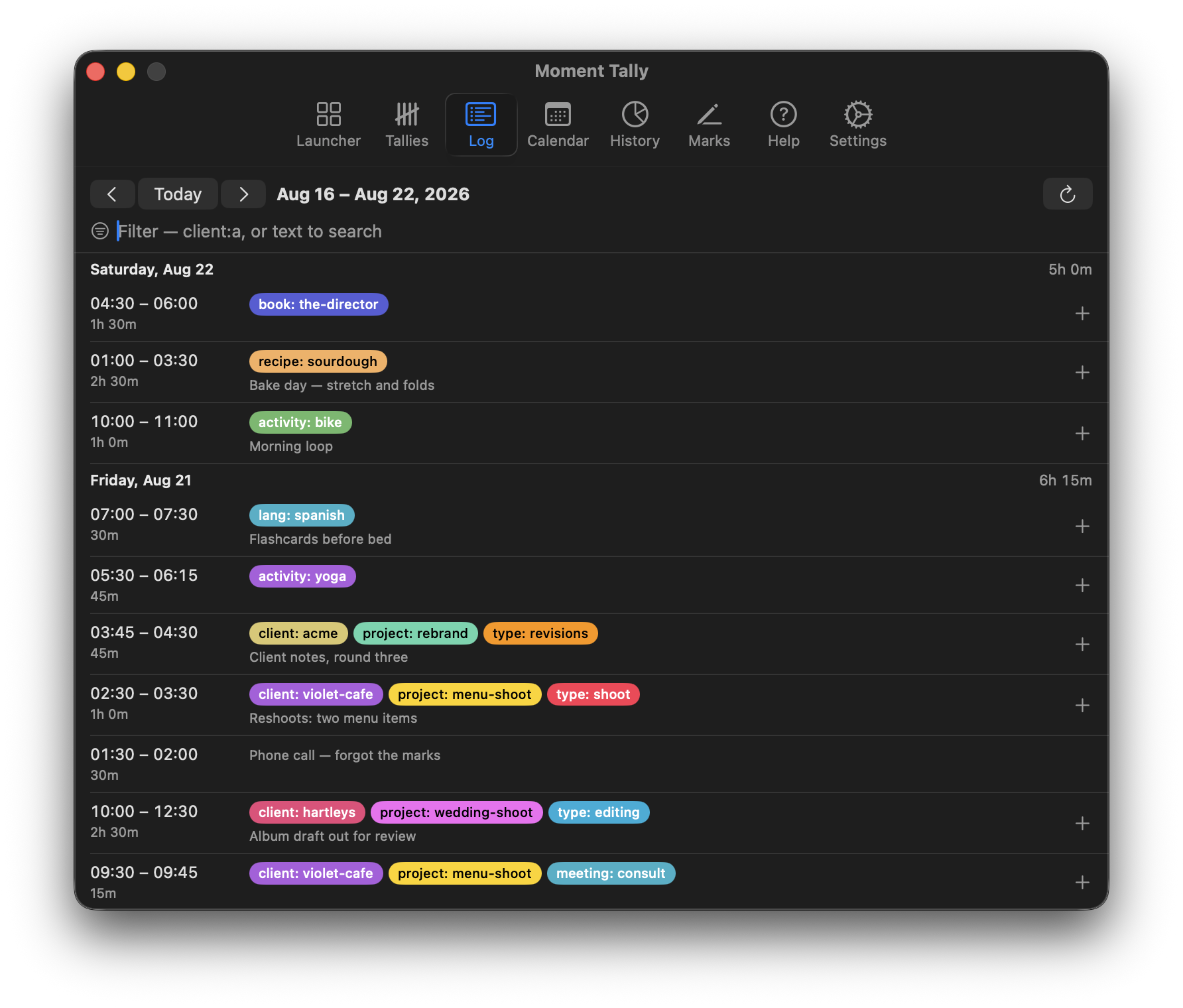
Log
An editable record of your time: days, entries, notes, and running totals — nothing hidden. Adjust start/end times, labels, and notes after the fact.
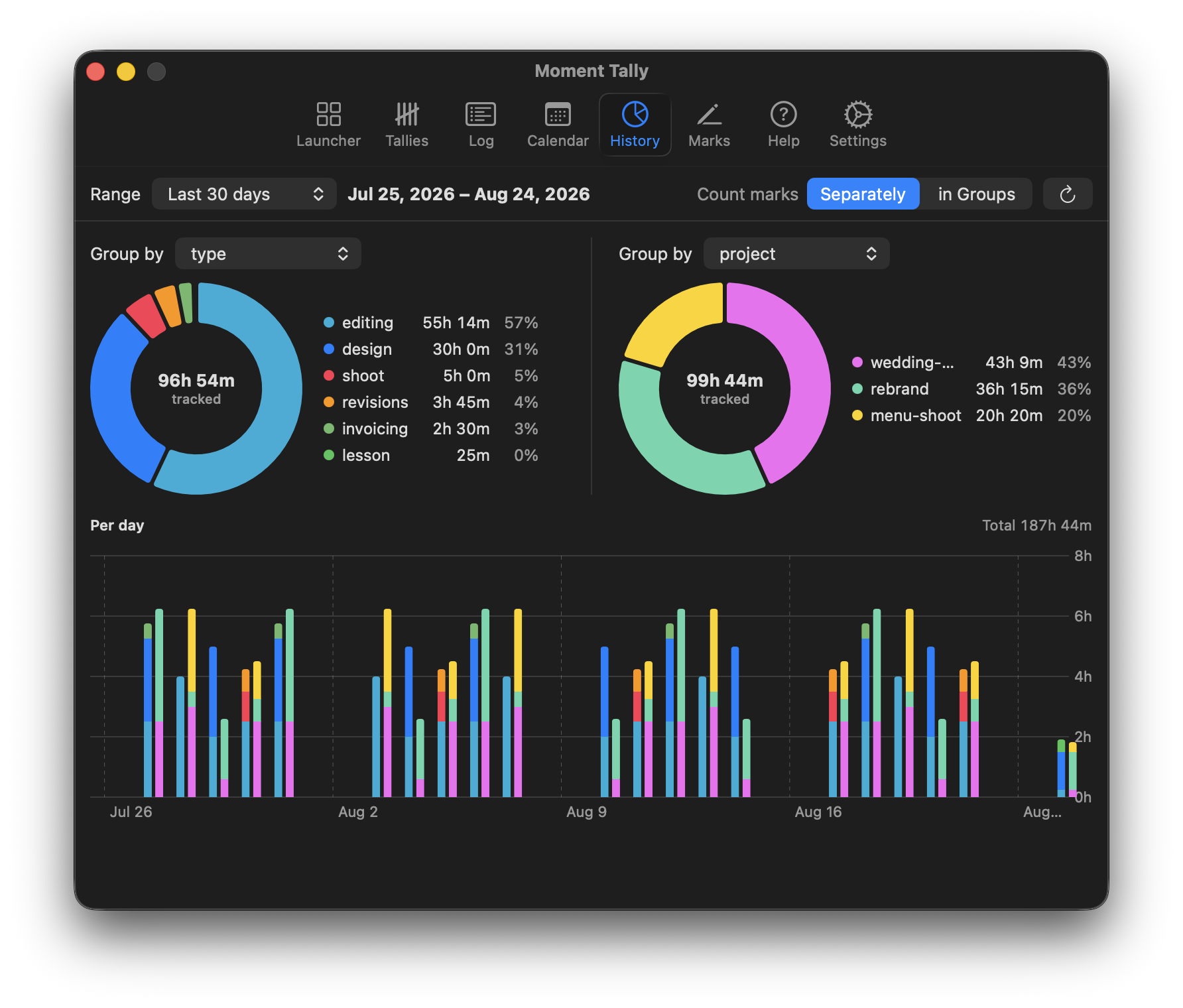
History
Donut and per-day charts over any grouping — and a second grouping to compare against, so "time by type" and "time by project" sit side by side.
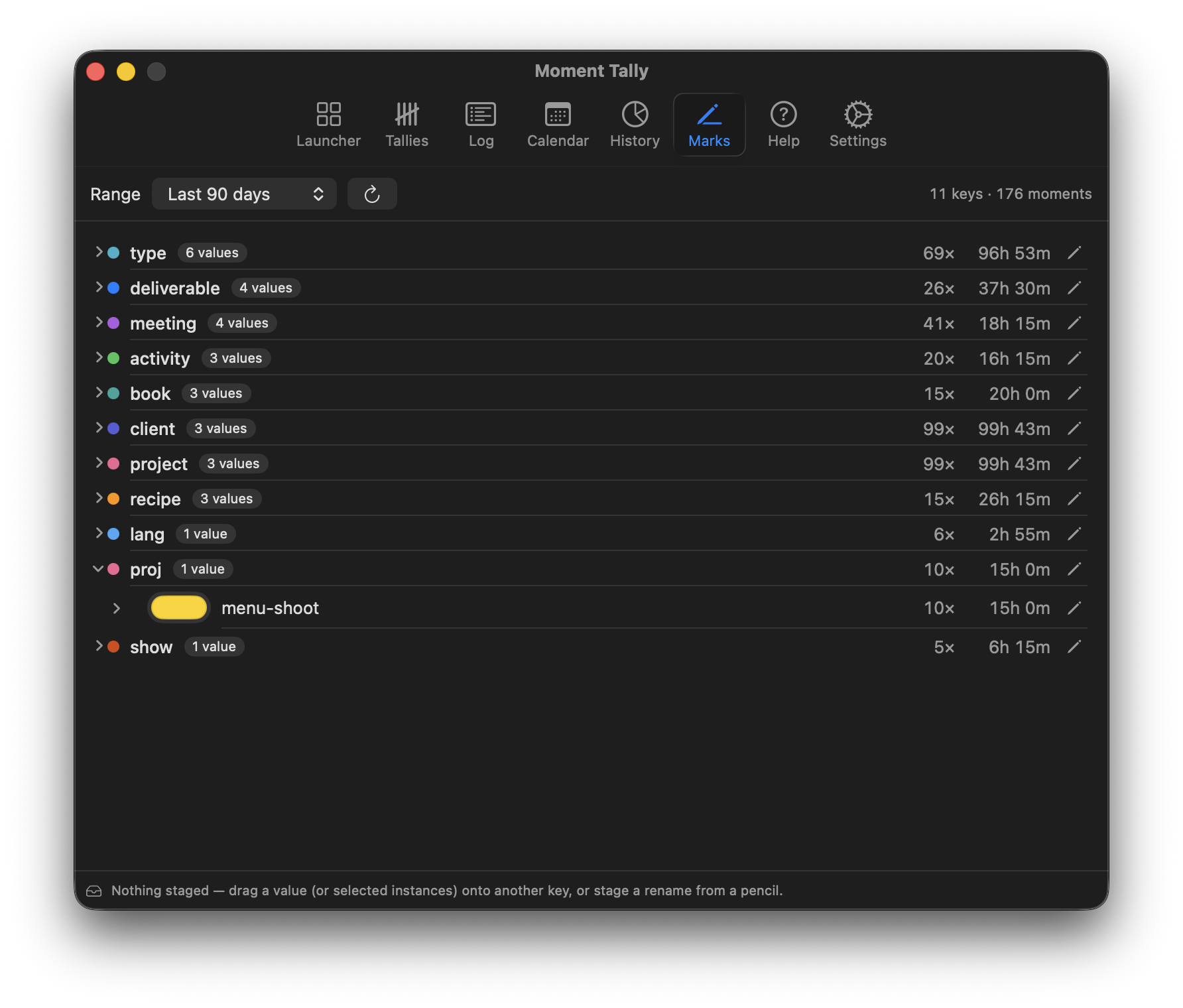
Label Review
Vocabulary drifts — one week says project, a stray day says proj. Label Review shows every key and value with usage counts, and cleans up drift with a drag or a rename.
There's more — a launcher of one-click label-set cards, a calendar where overlapping timers share columns, and an interactive onboarding that teaches the label model. See every surface in motion at primetime.tools/features.
Try it: Demo Mode
Every capture above is Demo Mode — a seeded, throwaway copy of the app's data with a week of realistic history and two running timers. It can't touch real data: it lives in its own demo.sqlite (rebuilt on every launch) and a scratch settings domain.
git clone <this repo>
cd PrimeTime
swift build
./.build/debug/PrimeTime --demo
Look for the timer in the menu bar. Launch without --demo to start tracking for real.
Sync with PrimeTime Server — optional
PrimeTime is local-first: the app is fully functional offline, and the local store stays the source of truth. When you want your history on more than one Mac — or shared across a team — run PrimeTime Server: a headless GraphQL backend, derived from traggo/server and evolved into the PrimeTime v1 API (label vocabulary, per-value colors, server-side label sets). It ships as a single container backed by SQLite.
Connect in Settings → Sync: enter your server URL, sign in, and your local history uploads and stays in sync from then on.
Import from Traggo
Coming from Traggo? Settings → Import from Traggo copies a Traggo server's full history — finished and running timespans, plus tag keys and their colors — into the local database. Safe to run again: already-imported timespans are updated, not duplicated.
Development
A justfile is included for the edit-build-run loop:
just run-devIt codesigns the debug binary with a local TraggoMenuApp Dev certificate so that Keychain access survives rebuilds. Create a self-signed certificate with that name in Keychain Access if you want the same behavior; plain swift build works fine otherwise (Demo Mode never touches the Keychain at all).
To remove local data and get a fresh install:
rm -rf ~/Library/Application\ Support/PrimeTime && defaults delete PrimeTimeInstalled builds are sandboxed and keep everything inside their container
instead — remove ~/Library/Containers/tools.primetime.PrimeTime to reset
one of those.
Provenance
The server/ tree is derived from traggo/server; its provenance and licensing are documented in server/README.md.
Contributing
See CONTRIBUTING.md — in particular the contribution terms (DCO sign-off plus a relicensing grant) that keep PrimeTime's dual-channel distribution possible.
License
AGPL-3.0-or-later. The server/ tree is derived from traggo/server and combines GPL-3.0 code with AGPL-3.0-or-later additions — see NOTICE and server/NOTICE for the structure. App-store builds are distributed under separate terms by the copyright holder (NOTICE).