doom-modeline


目录
一种受极简主义设计启发的时尚且快速的模式行。
它已集成到 Centaur Emacs、Doom Emacs 以及 Spacemacs 中。
特性
doom-modeline 专为极简主义而设计,并提供:
- 匹配计数面板(用于
anzu、visual-replace、iedit、multiple-cursors、symbol-overlay、 以及evil-search等) - 宏录制指示器
- 主模式下的当前环境版本(例如
python、ruby、go等) - 可自定义的模式行高度(参见
doom-modeline-height) - 与
minions兼容的次模式段 - 用于
flymake/flycheck的错误/警告计数段 - 用于
eyebrowse/tab-bar-mode的工作区名称段 - 用于
persp-mode的视角名称段 - 用于
ace-window、winum和window-numbering的窗口编号段 - 模态编辑状态指示器,包括
evil、overwrite、god、ryo和xah-fly-keys等 battery状态指示器- 当前输入法指示器
- 调试状态指示器
- 远程主机指示器
- 带有
kele.el的 Kubernetes 状态指示器 - 带有
lsp-mode或eglot的 LSP 状态指示器 - GitHub 通知指示器
- 带有
mu4e-alert和gnus的未读邮件指示器 - 带有
circe、rcirc或erc的 IRC 通知指示器 - 与
nyan-mode或poke-line兼容的缓冲区位置指示器 - 派对
parrot指示器 - 带有
pdf-tools的 PDF 页码指示器 - 带有
grip的 markdown/org 预览指示器 - 缓冲区信息段中的截断文件名、文件图标、缓冲区状态和项目
名称,与
project、projectile和find-file-in-project兼容。 - 用于
Info-mode缓冲区的新模式行 - 用于
paradox的新包模式行 - 用于
helm缓冲区的新模式行 - 用于
git-timemachine缓冲区的新模式行
截图







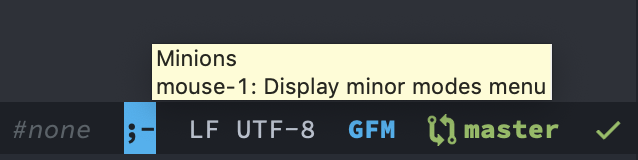
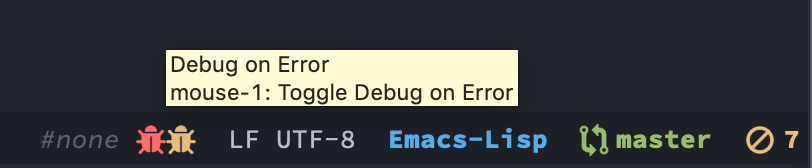


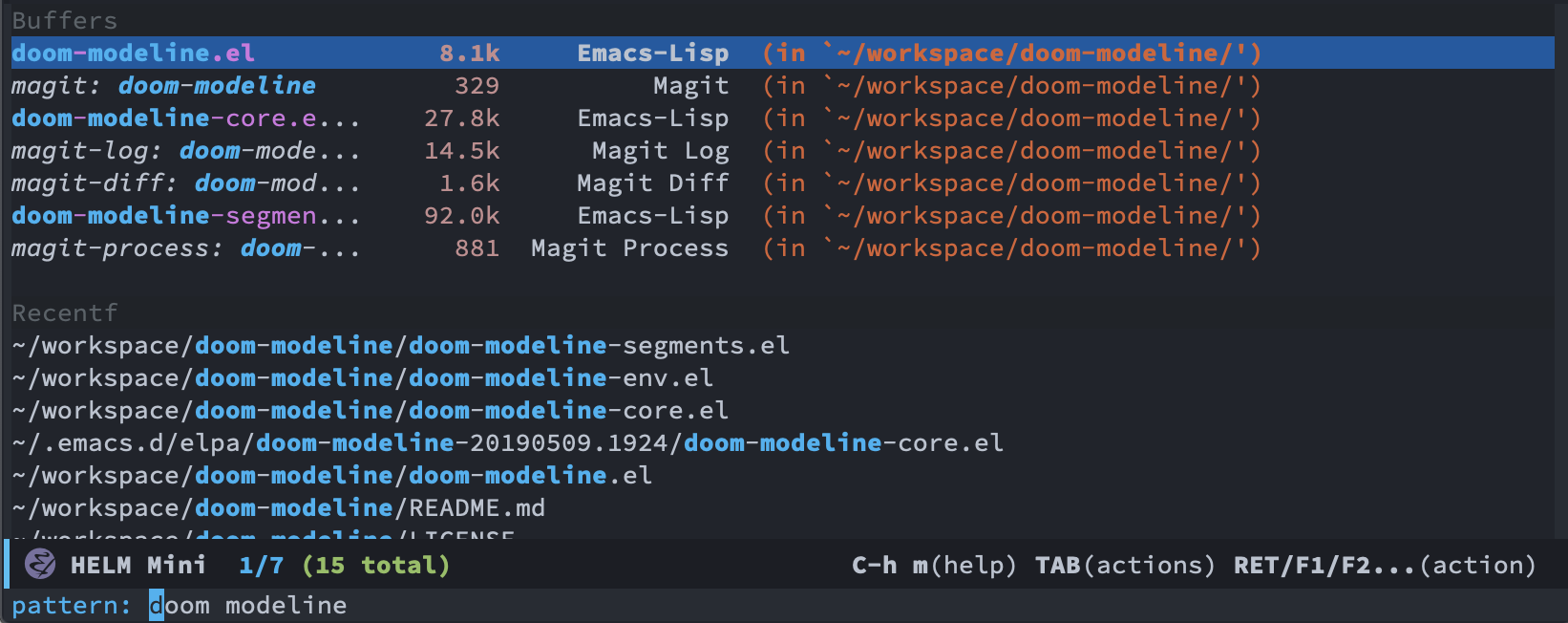
安装
手动
从 melpa 获取,M-x package-install RET doom-modeline RET。
在 init.el 中,
(require 'doom-modeline)
(doom-modeline-mode 1)
使用包
(use-package doom-modeline
  :ensure t
  :init (doom-modeline-mode 1))
如果安装了 nerd-icons 包和所需的
字体,此包能够显示图标。运行 M-x nerd-icons-install-fonts 以安装
必要的字体。请参阅
安装指南。
强烈建议同时使用 doom-themes。
自定义
运行 M-x customize-group RET doom-modeline RET 或设置变量。
;; If non-nil, cause imenu to see `doom-modeline' declarations.
;; This is done by adjusting `lisp-imenu-generic-expression' to
;; include support for finding `doom-modeline-def-*' forms.
;; Must be set before loading doom-modeline.
(setq doom-modeline-support-imenu t)

;; How tall the mode-line should be. It's only respected in GUI.
;; If the actual char height is larger, it respects the actual height.
(setq doom-modeline-height 25)

;; How wide the mode-line bar should be. It's only respected in GUI.
(setq doom-modeline-bar-width 4)

;; Whether to use hud instead of default bar. It's only respected in GUI.
(setq doom-modeline-hud nil)

;; The limit of the window width.
;; If `window-width' is smaller than the limit, some information won't be
;; displayed. It can be an integer or a float number. `nil' means no limit."
(setq doom-modeline-window-width-limit 85)

;; Override attributes of the face used for padding.
;; If the space character is very thin in the modeline, for example if a
;; variable pitch font is used there, then segments may appear unusually close.
;; To use the space character from the `fixed-pitch' font family instead, set
;; this variable to `(list :family (face-attribute 'fixed-pitch :family))'.
(setq doom-modeline-spc-face-overrides nil)

;; How to detect the project root.
;; nil means to use `default-directory'.
;; The project management packages have some issues on detecting project root.
;; e.g. `projectile' doesn't handle symlink folders well, while `project' is unable
;; to handle sub-projects.
;; You can specify one if you encounter the issue.
(setq doom-modeline-project-detection 'auto)

;; Determines the style used by `doom-modeline-buffer-file-name'.
;;
;; Given ~/Projects/FOSS/emacs/lisp/comint.el
;;   auto => emacs/l/comint.el (in a project) or comint.el
;;   truncate-upto-project => ~/P/F/emacs/lisp/comint.el
;;   truncate-from-project => ~/Projects/FOSS/emacs/l/comint.el
;;   truncate-with-project => emacs/l/comint.el
;;   truncate-except-project => ~/P/F/emacs/l/comint.el
;;   truncate-upto-root => ~/P/F/e/lisp/comint.el
;;   truncate-all => ~/P/F/e/l/comint.el
;;   truncate-nil => ~/Projects/FOSS/emacs/lisp/comint.el
;;   relative-from-project => emacs/lisp/comint.el
;;   relative-to-project => lisp/comint.el
;;   file-name => comint.el
;;   file-name-with-project => FOSS|comint.el
;;   project => FOSS
;;   buffer-name => comint.el<2> (uniquify buffer name)
;;
;; If you are experiencing the laggy issue, especially while editing remote files
;; with tramp, please try `file-name' style.
;; Please refer to https://github.com/bbatsov/projectile/issues/657.
(setq doom-modeline-buffer-file-name-style 'auto)

;; Whether display icons in the mode-line.
;; While using the server mode in GUI, should set the value explicitly.
(setq doom-modeline-icon t)

;; Whether display the icon for `major-mode'. It respects option `doom-modeline-icon'.
(setq doom-modeline-major-mode-icon t)

;; Whether display the colorful icon for `major-mode'.
;; It respects `nerd-icons-color-icons'.
(setq doom-modeline-major-mode-color-icon t)

;; Whether display the icon for the buffer state. It respects option `doom-modeline-icon'.
(setq doom-modeline-buffer-state-icon t)

;; Whether display the modification icon for the buffer.
;; It respects option `doom-modeline-icon' and option `doom-modeline-buffer-state-icon'.
(setq doom-modeline-buffer-modification-icon t)

;; Whether display the lsp icon. It respects option `doom-modeline-icon'.
(setq doom-modeline-lsp-icon t)

;; Whether display the time icon. It respects option `doom-modeline-icon'.
(setq doom-modeline-time-icon t)

;; Whether display the live icons of time.
;; It respects option `doom-modeline-icon' and option `doom-modeline-time-icon'.
(setq doom-modeline-time-live-icon t)

;; Whether to use an analogue clock svg as the live time icon.
;; It respects options `doom-modeline-icon', `doom-modeline-time-icon', and `doom-modeline-time-live-icon'.
(setq doom-modeline-time-analogue-clock t)

;; The scaling factor used when drawing the analogue clock.
(setq doom-modeline-time-clock-size 0.7)

;; Whether to use unicode numbers.
(setq doom-modeline-unicode-number t)

;; Whether to use unicode as a fallback (instead of ASCII) when not using icons.
(setq doom-modeline-unicode-fallback nil)

;; Whether display the buffer name.
(setq doom-modeline-buffer-name t)

;; Whether highlight the modified buffer name.
(setq doom-modeline-highlight-modified-buffer-name t)

;; When non-nil, mode line displays column numbers zero-based.
;; See `column-number-indicator-zero-based'.
(setq doom-modeline-column-zero-based t)

;; Specification of \"percentage offset\" of window through buffer.
;; See `mode-line-percent-position'.
(setq doom-modeline-percent-position '(-3 "%p"))

;; Format used to display line numbers in the mode line.
;; See `mode-line-position-line-format'.
(setq doom-modeline-position-line-format '("L%l"))

;; Format used to display column numbers in the mode line.
;; See `mode-line-position-column-format'.
(setq doom-modeline-position-column-format '("C%c"))

;; Format used to display combined line/column numbers in the mode line. See `mode-line-position-column-line-format'.
(setq doom-modeline-position-column-line-format '("%l:%c"))

;; Whether display the minor modes in the mode-line.
(setq doom-modeline-minor-modes nil)

;; Whether display the selection information.
(setq doom-modeline-selection-info t)

;; If non-nil, a word count will be added to the selection-info modeline segment.
(setq doom-modeline-enable-word-count nil)

;; Major modes in which to display word count continuously.
;; Also applies to any derived modes. Respects `doom-modeline-enable-word-count'.
;; If it brings the sluggish issue, disable `doom-modeline-enable-word-count' or
;; remove the modes from `doom-modeline-continuous-word-count-modes'.
(setq doom-modeline-continuous-word-count-modes '(markdown-mode gfm-mode org-mode))

;; Whether display the buffer position information.
(setq doom-modeline-enable-buffer-position t)

;; Whether display the buffer encoding.
(setq doom-modeline-buffer-encoding t)

;; Whether display the indentation information.
(setq doom-modeline-indent-info nil)

;; Whether display the total line number。
(setq doom-modeline-total-line-number nil)

;; Whether display the icon of vcs segment. It respects option `doom-modeline-icon'."
(setq doom-modeline-vcs-icon t)

;; The maximum displayed length of the branch name of version control.
(setq doom-modeline-vcs-max-length 15)

;; The function to display the branch name.
(setq doom-modeline-vcs-display-function #'doom-modeline-vcs-name)

;; Alist mapping VCS states to their corresponding faces.
;; See `vc-state' for possible values of the state.
;; For states not explicitly listed, the `doom-modeline-vcs-default' face is used.
(setq doom-modeline-vcs-state-faces-alist
      '((needs-update . (doom-modeline-warning bold))
        (removed . (doom-modeline-urgent bold))
        (conflict . (doom-modeline-urgent bold))
        (unregistered . (doom-modeline-urgent bold))))

;; Whether display the icon of check segment. It respects option `doom-modeline-icon'.
(setq doom-modeline-check-icon t)

;; How to display the check segment.
;; auto mode adapts to window width (see `doom-modeline-window-width-limit').
;; full displays all detailed error information.
;; simple summarizes error counts.
;; nil disables the check segment.
(setq doom-modeline-check 'auto)

;; The maximum number displayed for notifications.
(setq doom-modeline-number-limit 99)

;; Whether display the project name. Non-nil to display in the mode-line.
(setq doom-modeline-project-name t)

;; Whether display the workspace name. Non-nil to display in the mode-line.
(setq doom-modeline-workspace-name t)

;; Whether display the perspective name. Non-nil to display in the mode-line.
(setq doom-modeline-persp-name t)

;; If non nil the default perspective name is displayed in the mode-line.
(setq doom-modeline-display-default-persp-name nil)

;; If non nil the perspective name is displayed alongside a folder icon.
(setq doom-modeline-persp-icon t)

;; Whether display the `lsp' state. Non-nil to display in the mode-line.
(setq doom-modeline-lsp t)

;; Whether display the GitHub notifications. It requires `ghub' package.
(setq doom-modeline-github nil)

;; The interval of checking GitHub.
(setq doom-modeline-github-interval (* 30 60))

;; Whether display the modal state.
;; Including `evil', `overwrite', `god', `ryo' and `xah-fly-keys', etc.
(setq doom-modeline-modal t)

;; Whether display the modal state icon.
;; Including `evil', `overwrite', `god', `ryo' and `xah-fly-keys', etc.
(setq doom-modeline-modal-icon t)

;; Whether display the modern icons for modals.
(setq doom-modeline-modal-modern-icon t)

;; When non-nil, always show the register name when recording an evil macro.
(setq doom-modeline-always-show-macro-register nil)

;; Whether display the mu4e notifications. It requires `mu4e-alert' package.
(setq doom-modeline-mu4e nil)
;; also enable the start of mu4e-alert
(mu4e-alert-enable-mode-line-display)

;; Whether display the gnus notifications.
(setq doom-modeline-gnus t)

;; Whether gnus should automatically be updated and how often (set to 0 or smaller than 0 to disable)
(setq doom-modeline-gnus-timer 2)

;; Whether groups should be excluded when gnus automatically being updated.
(setq doom-modeline-gnus-excluded-groups '("dummy.group"))

;; Whether display the IRC notifications. It requires `circe', `erc' or `rcirc' package.
(setq doom-modeline-irc t)

;; Function to stylize the irc buffer names.
(setq doom-modeline-irc-stylize 'identity)

;; Whether to filter IRC notifications. It supports `circe' and `rcirc'.
(setq doom-modeline-irc-priority-only nil)

;; Whether display the battery status. It respects `display-battery-mode'.
(setq doom-modeline-battery t)

;; Whether display the time. It respects `display-time-mode'.
(setq doom-modeline-time t)

;; Whether display the misc segment on all mode lines.
;; If nil, display only if the mode line is active.
(setq doom-modeline-display-misc-in-all-mode-lines t)

;; Whether to display the remote host information.
(setq doom-modeline-remote-host t)

;; The function to handle `buffer-file-name'.
(setq doom-modeline-buffer-file-name-function #'identity)

;; The function to handle `buffer-file-truename'.
(setq doom-modeline-buffer-file-truename-function #'identity)

;; Whether display the environment version.
(setq doom-modeline-env-version t)
;; Or for individual languages
(setq doom-modeline-env-enable-python t)
(setq doom-modeline-env-enable-ruby t)
(setq doom-modeline-env-enable-perl t)
(setq doom-modeline-env-enable-go t)
(setq doom-modeline-env-enable-elixir t)
(setq doom-modeline-env-enable-rust t)

;; Change the executables to use for the language version string
(setq doom-modeline-env-python-executable "python") ; or `python-shell-interpreter'
(setq doom-modeline-env-ruby-executable "ruby")
(setq doom-modeline-env-perl-executable "perl")
(setq doom-modeline-env-go-executable "go")
(setq doom-modeline-env-elixir-executable "iex")
(setq doom-modeline-env-rust-executable "rustc")

;; What to display as the version while a new one is being loaded
(setq doom-modeline-env-load-string "...")

;; By default, almost all segments are displayed only in the active window. To
;; display such segments in all windows, specify e.g.
(setq doom-modeline-always-visible-segments '(mu4e irc))

;; Hooks that run before/after the modeline version string is updated
(setq doom-modeline-before-update-env-hook nil)
(setq doom-modeline-after-update-env-hook nil)
编程式自定义
您可以通过编程方式定义 segments 和 modelines,并将 segments 添加到现有的 modelines 中。
定义自定义 Segments
使用 doom-modeline-def-segment 来定义一个新的 segment:
(doom-modeline-def-segment segment-name
  "Docstring describing the segment."
  ;; Body that returns the segment string
  (when some-condition
    (format "output: %s" value)))
(doom-modeline-def-segment evil-state
  "Display evil state."
  (when (bound-and-true-p evil-mode)
    (format "[%s]" (symbol-name evil-state))))
定义自定义 Modeline
使用 doom-modeline-def-modeline 定义一个新的 modeline:
(doom-modeline-def-modeline modeline-name
  '(left-hand-side segments)
  '(right-hand-side segments))
(doom-modeline-def-modeline 'my-simple-line
  '(bar window-number buffer-info)
  '(major-mode time))

;; Set as the default modeline
(add-hook 'doom-modeline-mode-hook
          (lambda ()
            (doom-modeline-set-modeline 'my-simple-line t)))

;; Configure other mode-lines based on major modes
(add-to-list 'doom-modeline-mode-alist '(my-mode . my-simple-line))

;; Or disable other mode-lines
(setq 'doom-modeline-mode-alist nil)
向现有 Modelines 添加 Segments
- 如果信息很简单,请添加到
mode-line-misc-info或global-mode-string。 - 使用
doom-modeline-add-segment向 modelines 添加 segment:
;; Exclude certain modelines from automatic modification
(setq doom-modeline-excluded-modelines '(speedbar))

;; Add segment to all modelines (after anchor segment)
(doom-modeline-add-segment 'evil-state 'window-number)

;; Add segment before anchor
(doom-modeline-add-segment 'evil-state 'window-number :before)

;; Add segment to a specific modeline only
(doom-modeline-add-segment 'evil-state 'window-number :after 'main)
Function: doom-modeline-add-segment SEGMENT ANCHOR &optional POSITION MODELINE
SEGMENT: 要添加的段名称(一个符号)ANCHOR: 要锚定的段名称(一个符号)POSITION: 可以是:before或:after(默认::after)MODELINE: 要添加到特定 modeline 的 modeline 名称(符号),或nil/'all以添加到所有 modeline(遵循doom-modeline-excluded-modelines)
从 Modelines 中移除段
- 使用
doom-modeline-remove-segment从 modelines 中移除一个段:
;; Remove segment from all modelines
(doom-modeline-remove-segment 'evil-state)

;; Remove segment from a specific modeline only
(doom-modeline-remove-segment 'evil-state 'main)
Function: doom-modeline-remove-segment SEGMENT &optional MODELINE
SEGMENT: 要移除的段名称(符号)MODELINE: 要从特定 modeline 中移除的 modeline 名称(符号),或nil/'all以从所有 modeline 中移除(遵循doom-modeline-excluded-modelines)
FAQ
-
如何正确显示图标?
需要 nerd-icons。 然后运行
M-x nerd-icons-install-fonts安装资源字体。 在 Windows 上,应手动安装字体。nerd-icons同时支持 GUI 和 TUI。如果您不喜欢彩色图标,请设置
(setq nerd-icons-color-icons nil)以禁用它。详情请参阅 nerd-icons.el。如果您更喜欢 all-the-icons,请 使用版本
3.4.0。自4.0.0起已不再支持。 -
我遇到了卡顿问题,如何解决?
将此配置添加到您的 init 文件中:
;; Don’t compact font caches during GC. (setq inhibit-compacting-font-caches t) -
在访问符号链接时,模式行上显示了一个荒谬的路径。
这是 Vanilla Emacs 的默认行为。如果您希望显示真实名称,请将以下内容放入您的 init 文件中。
(setq find-file-visit-truename t)
如果该文件由 vc 控制,请参阅
vc-follow-symlinks 的文档。
- 为什么分支变更不会反映在 modeline 中?
实际上它与 magit 和 vc-mode 相关。
- 变通方案:
- 手动还原缓冲区。
(setq auto-revert-check-vc-info t)引入了性能问题。- 参见:
- 如何在 modeline 中指定字体族和字号?
例如:
(setq doom-modeline-height 1) ; optional
(if (facep 'mode-line-active)
    (set-face-attribute 'mode-line-active nil :family "Noto Sans" :height 100) ; For 29+
  (set-face-attribute 'mode-line nil :family "Noto Sans" :height 100))
(set-face-attribute 'mode-line-inactive nil :family "Noto Sans" :height 100)
或
(setq doom-modeline-height 1) ; optional
(custom-set-faces
  '(mode-line ((t (:family "Noto Sans" :height 0.9))))
  '(mode-line-active ((t (:family "Noto Sans" :height 0.9)))) ; For 29+
  '(mode-line-inactive ((t (:family "Noto Sans" :height 0.9)))))
-
模型行右侧被截断。如何修复?
- 调整
nerd-icons-scale-factor。例如(setq nerd-icons-scale-factor 1.1) - 使用其他字体族或字号。参见上文。
- 调整
-
如何禁用模式行中的符号链接展开?
如果您遇到如下问题

请尝试以下操作:
;; built-in `project' on 26+
(setq doom-modeline-project-detection 'project)
;; or `find-in-project' if it's installed
(setq doom-modeline-project-detection 'ffip)
-
doom-modeline能否在使用evil-search搜索时显示匹配数量?可以。为了获得更好的体验,应启用
anzu-mode并加载evil-anzu。 -
如何显示 R 正在 inferior ess R 模式下运行?
ess R 模式会直接修改
mode-line-buffer-identification以显示状态。 要在doom-modeline中显示状态,您可以按照以下方法将状态添加到mode-line-process或global-mode-string。(add-hook 'inferior-ess-mode-hook (lambda () (add-to-list 'mode-line-process '(:eval (nth ess--busy-count ess-busy-strings))))) -
如何显示公司模式行信息?
启用
doom-modeline-minor-modes或(add-to-list 'global-mode-string company-lighter)。 -
如何在模式行中显示 LaTeX 编译信息?
使用 process 包。 请参阅 #387 以获取更多详细信息。
(require 'procress) (procress-load-default-svg-images) (add-hook 'LaTeX-mode-hook #'procress-auctex-mode) -
如何防止模式行与填充列对齐?
visual-fill-column-mode请使用
(setq mode-line-right-align-edge 'right-fringe)。 请参阅 #672 以获取更多详细信息。 -
如何在
visual-replace中显示匹配计数?它遵循
visual-replace-display-total,因此您应该使用(setq visual-replace-display-total t)进行显示。 -
为什么我启用了
doom-modeline-github却无法获取 GitHub 通知?该功能需要
async和ghub包,并确保令牌具有 访问 Github 仓库的权限。 -
如何过滤 irc 通知,仅显示提及或关键词?
使用
doom-modeline-irc-priority-only启用,并使用rcirc-keyword为 rcirc 和tracking-faces-priorities为 circe 设置过滤器。ERC 支持尚不可用,请参阅 #820。
捐赠
如果您觉得这有帮助,请考虑请我喝一杯咖啡。 谢谢! :smile: