
ngocjohn/lunar-phase-card · 文件 下载 ZIP
文件最后提交记录最后更新时间
README.md
以下内容由 AI 翻译,如有问题请点此提交 issue 反馈






🌘 Lunar Phase Card

这是一款用于 Home Assistant 的 Lovelace 自定义卡片,提供关于当前月相的详细信息。该卡片利用精确的天文计算来提供准确的月球数据,使其成为对天文学、占星术或仅追踪月相感兴趣的人们的宝贵补充。
目录
功能
- 当前月相显示: 显示当前月亮的相位。
- 详细月球信息: 提供关于月球周期的额外详细信息。
- 可定制: 易于定制以匹配您的仪表板主题。
- 响应式设计: 在桌面和移动设备上均表现良好。
- 自定义纬度和经度配置: 提供配置自定义纬度和经度的可能性,以获取精确的月球数据。
- 特定日期月球信息: 提供显示特定日期月亮信息的选项。
- 多语言支持:该卡片包含多种翻译,使其可访问多种语言。
支持的语言本地化
本项目支持以下语言
| 朗格代码 | 名称 | 本地名称 |
|---|---|---|
ca | 加泰罗尼亚语 | Català |
cs | 捷克语 | Čeština |
da | 丹麦语 | Dansk |
de | 德语 | Deutsch |
en | 英语 | English |
es | 西班牙语 | Español |
fr | 法语 | Français |
id | 印度尼西亚语 | Bahasa Indonesia |
it | 意大利语 | Italiano |
ko | 韩语 | 한국어 |
lt | 立陶宛语 | Lietuvių |
nl | 荷兰语 | Dutch |
pl | 波兰语 | Polski |
pt | 葡萄牙语 | Português (Brasil) |
ru | 俄语 | Русский |
sk | 斯洛伐克语 | Slovenčina |
sv | 瑞典语 | Svenska |
tr | 土耳其语 | Türkçe |
ua | 乌克兰语 | Українська |
vi | Vietnamese | Tiếng Việt |
zh-Hans | Chinese | 中文 |
视图选项
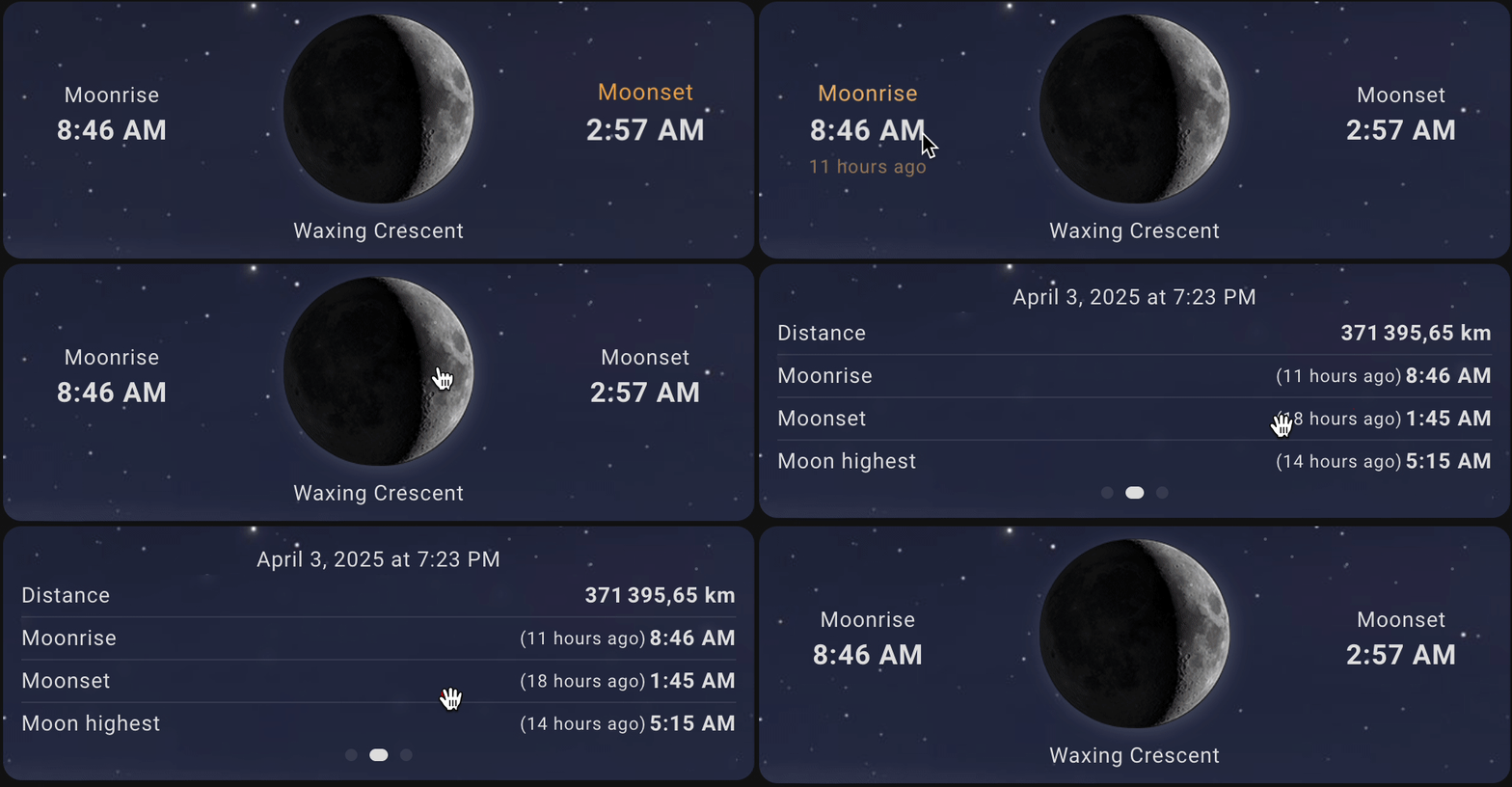
- 卡片视图
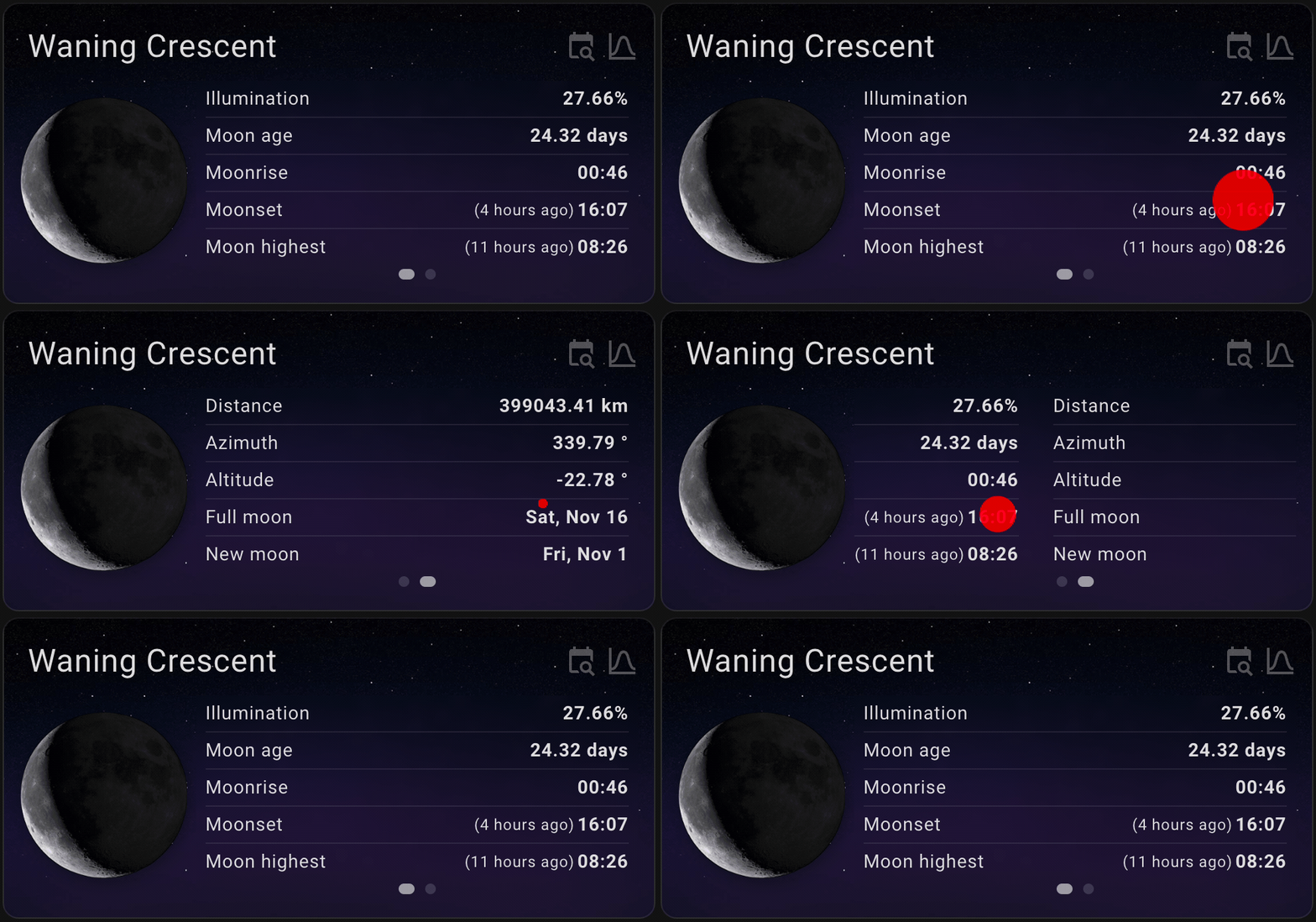
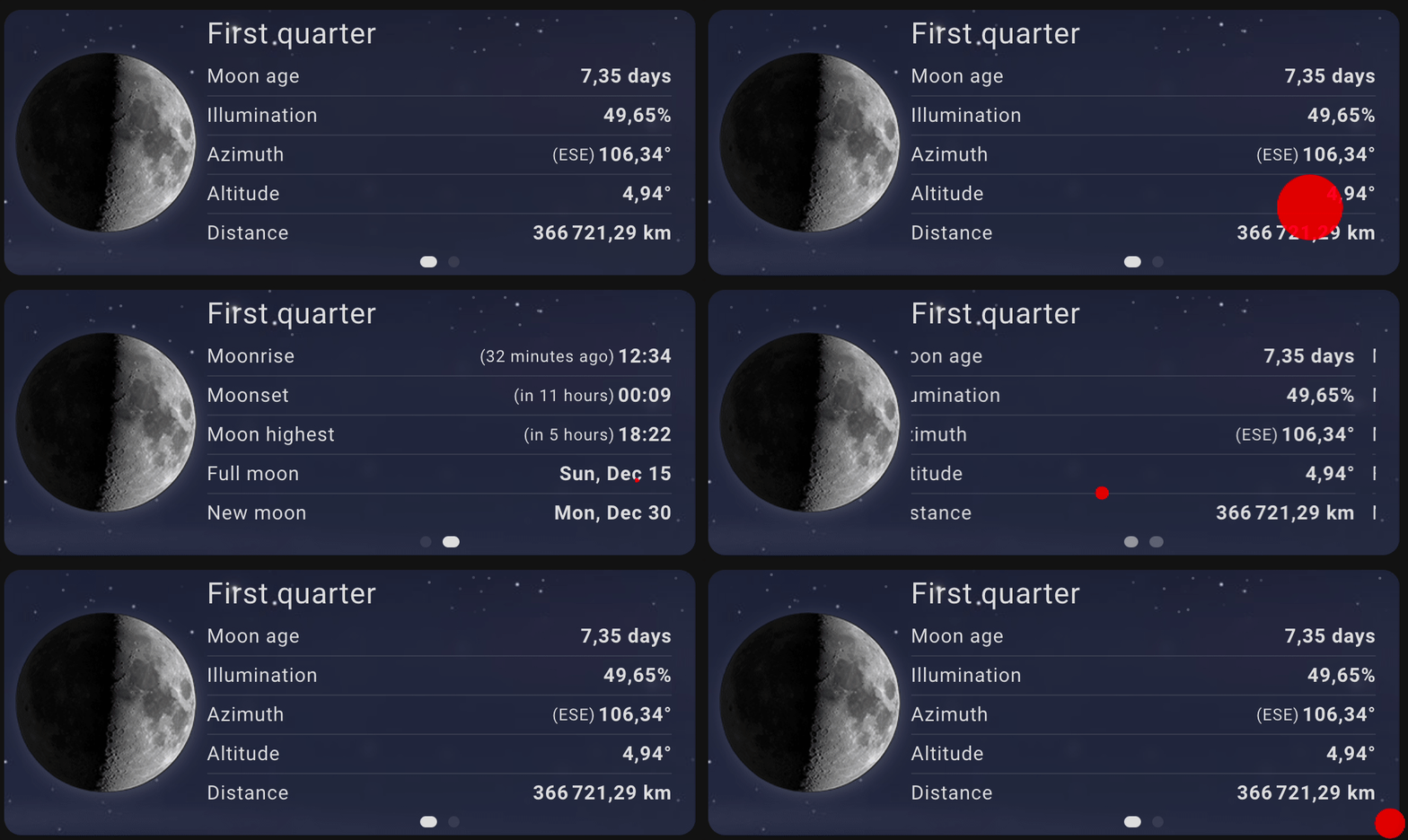
- 徽章视图


- 日历卡片
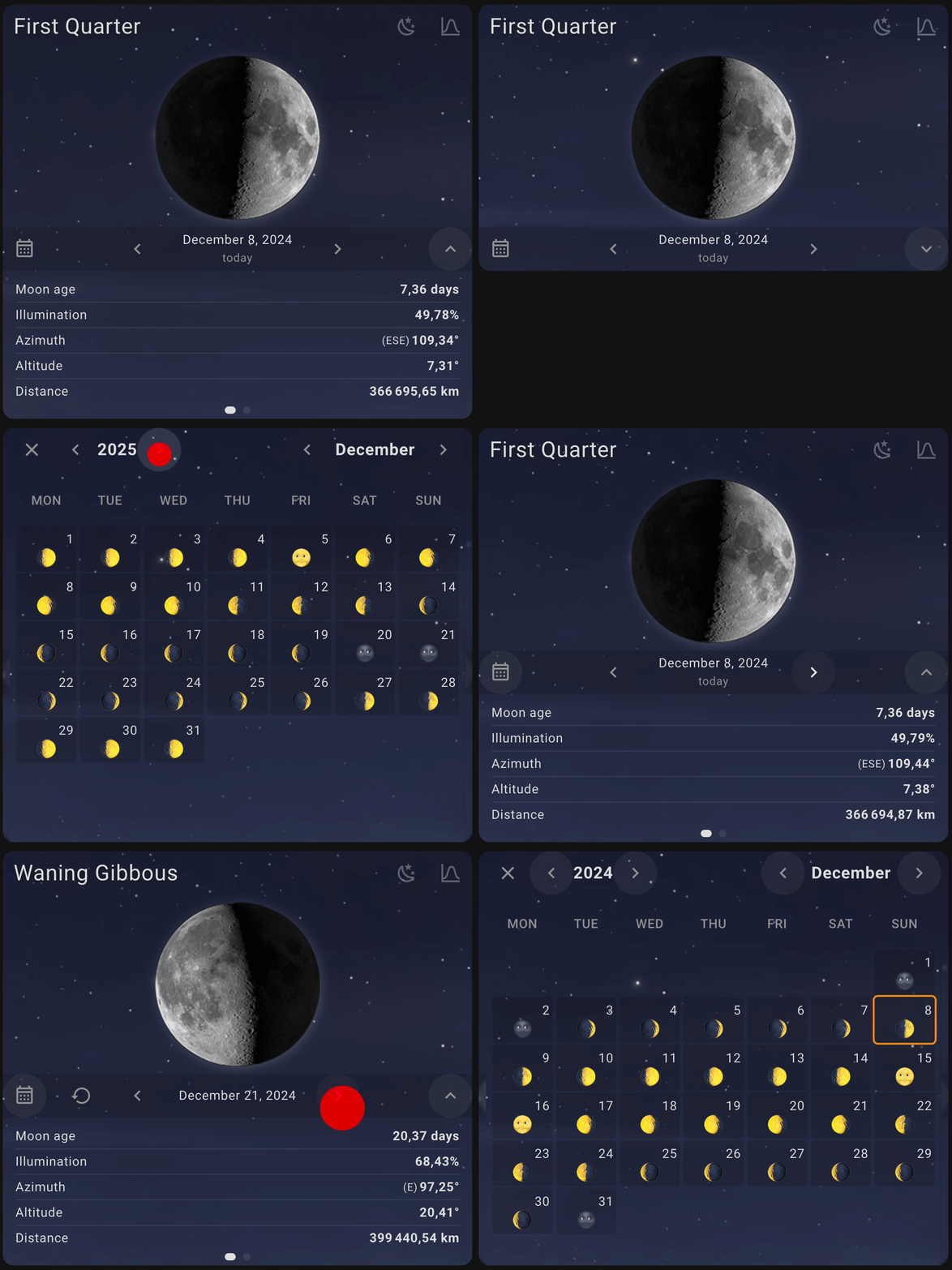
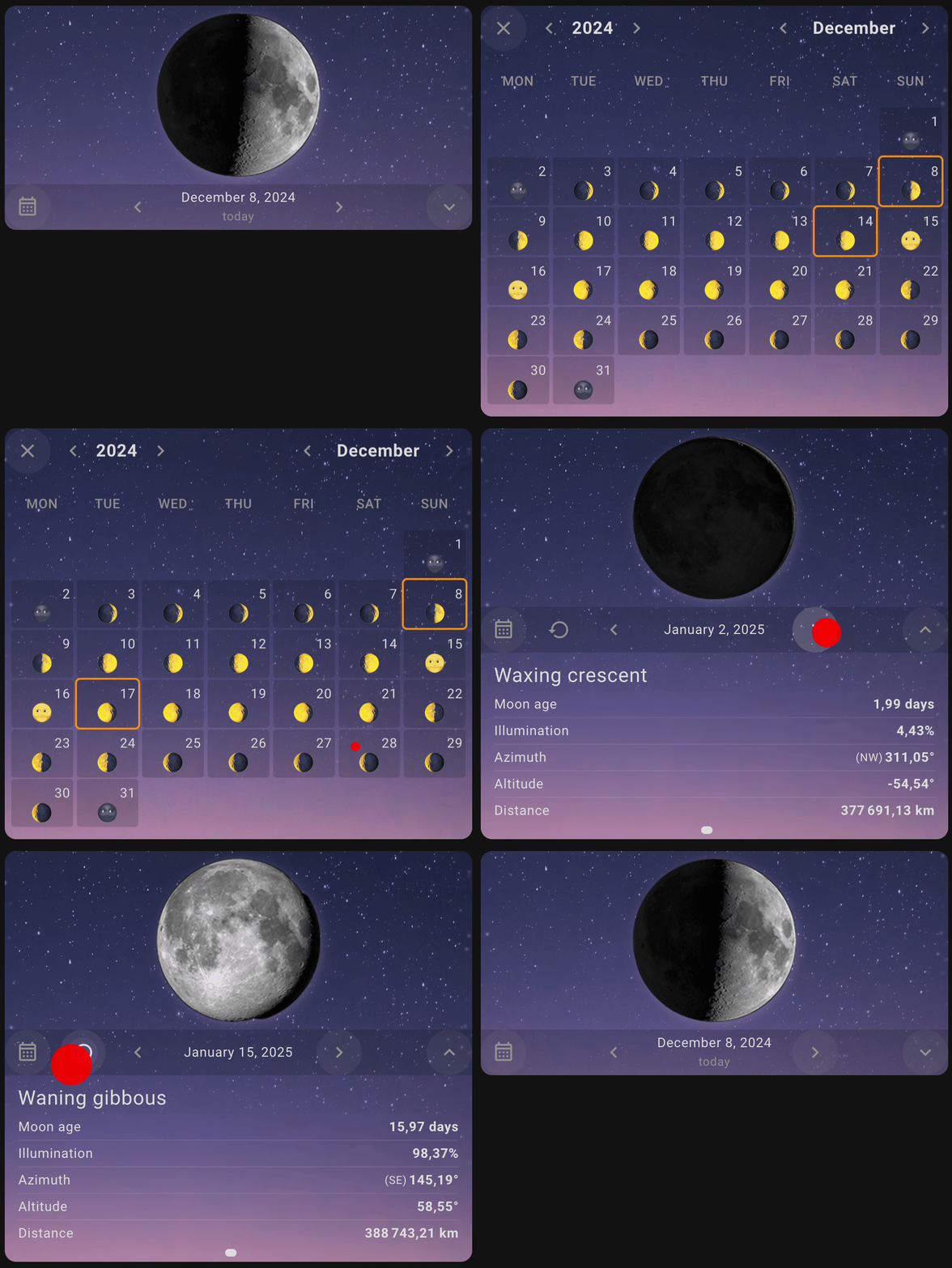
- 地平线图
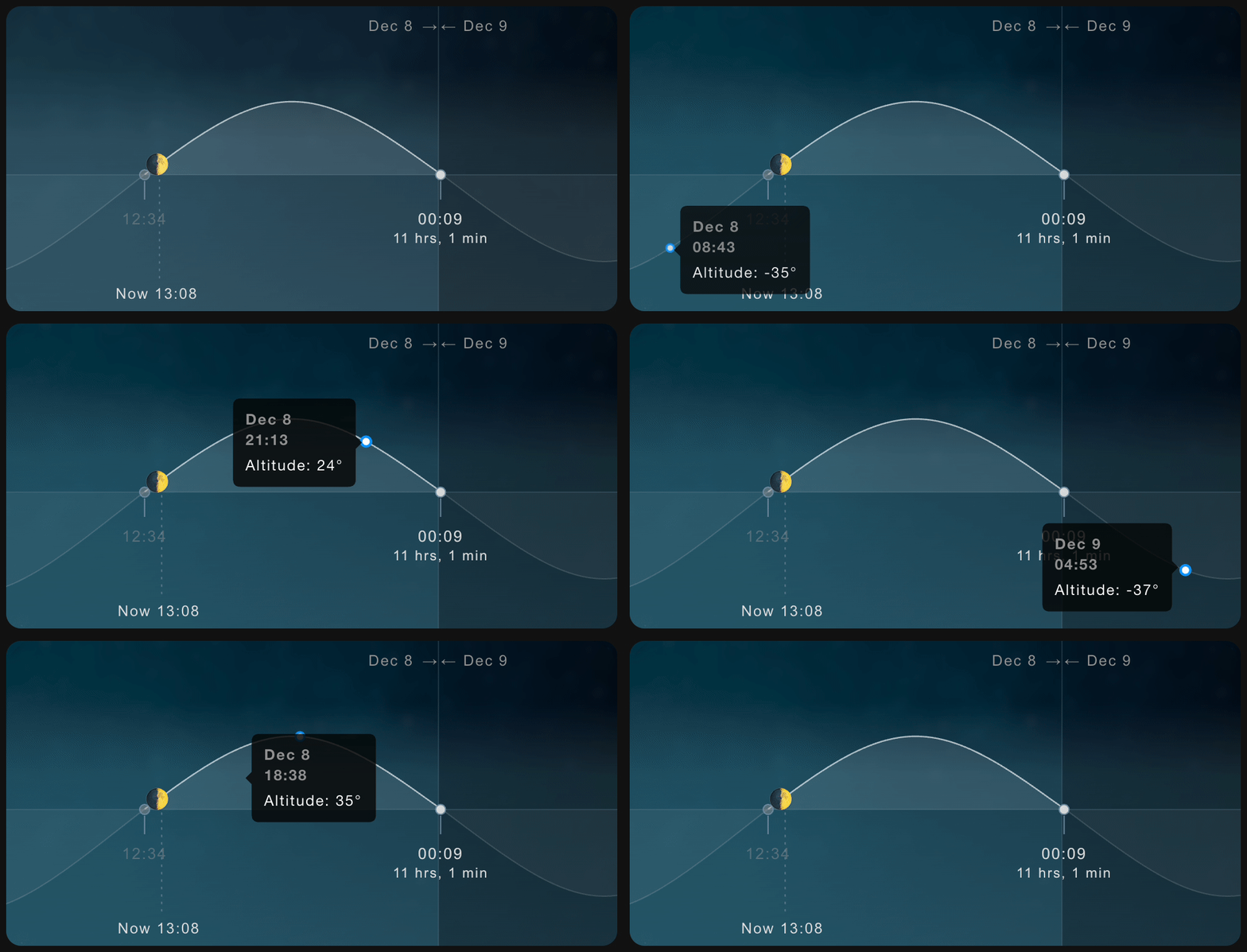
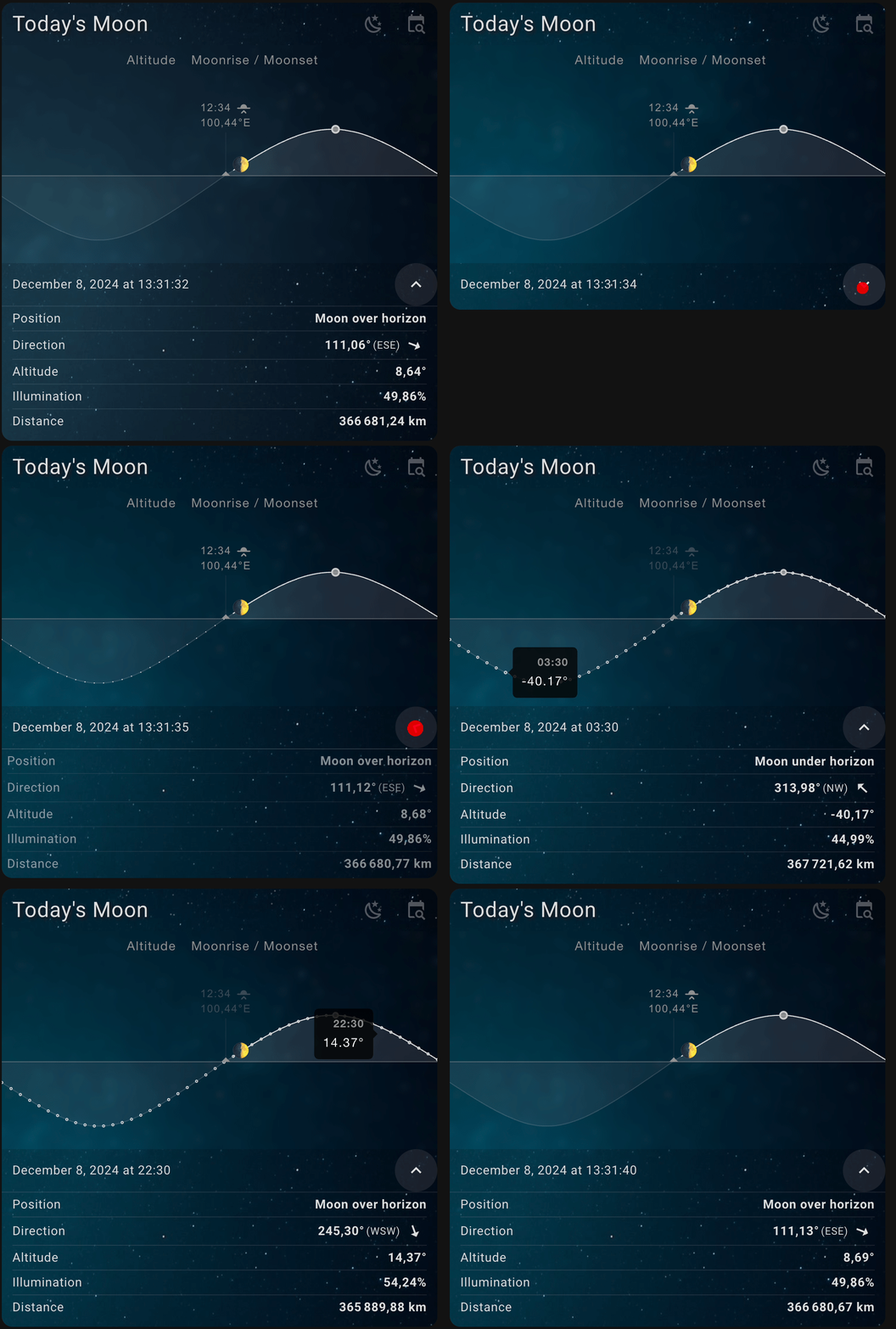
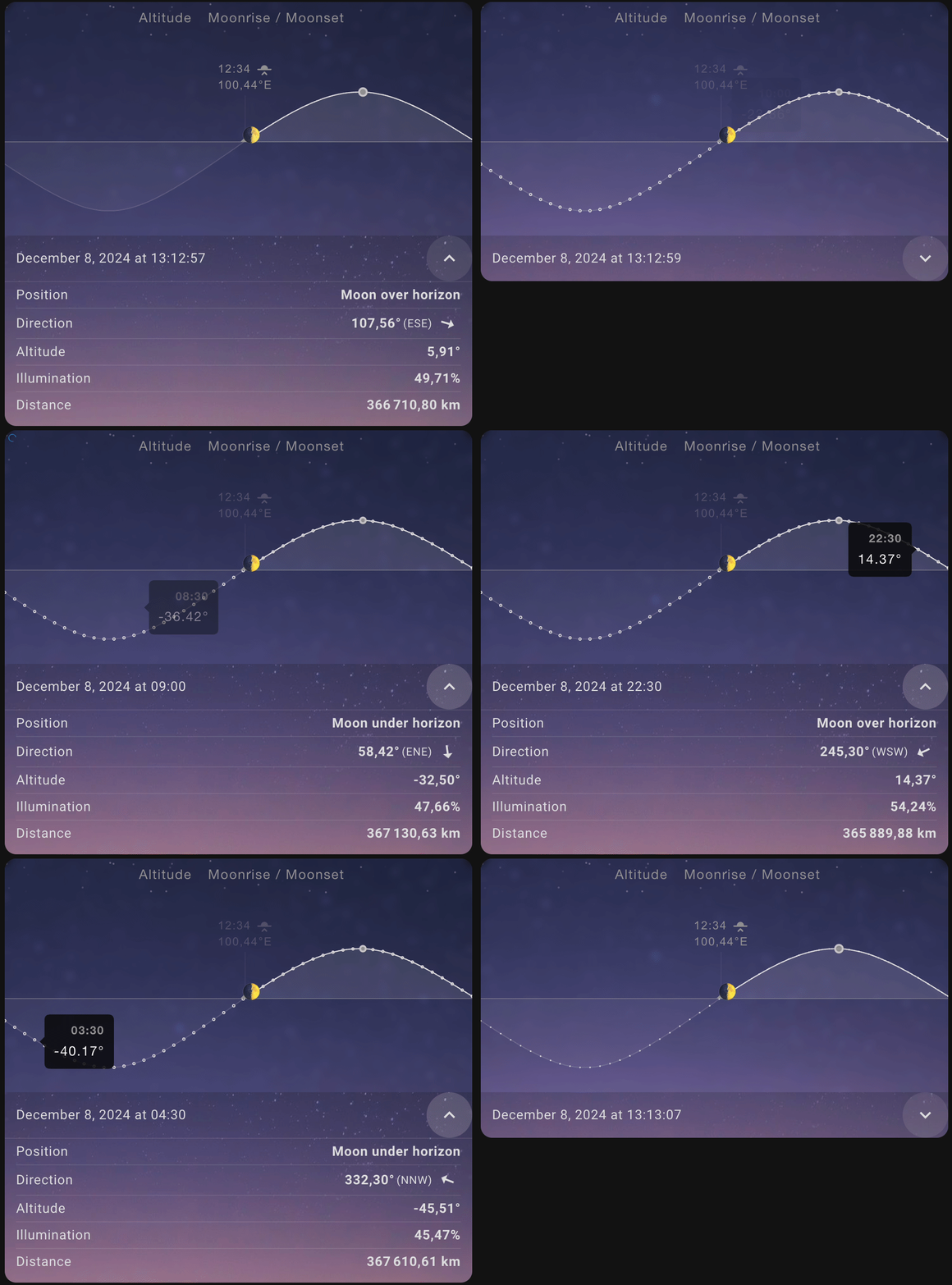
- 紧凑视图
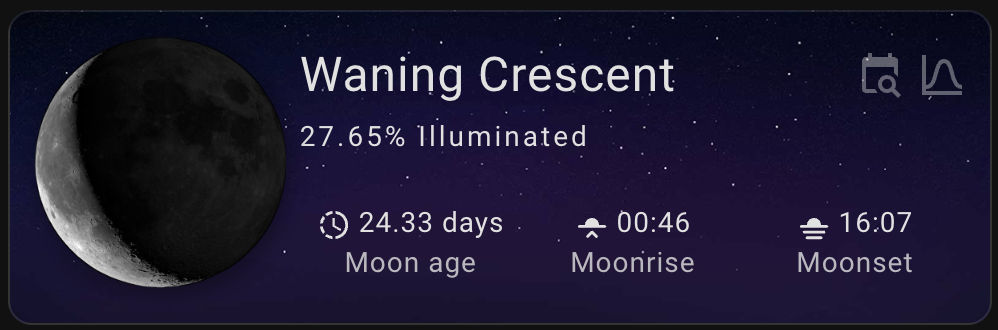
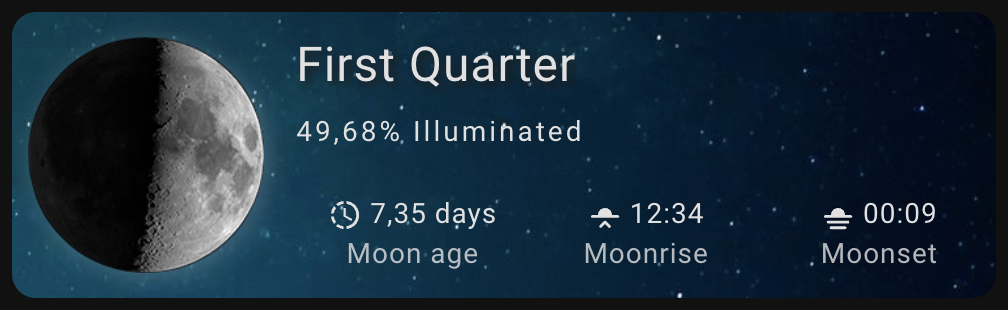
- 紧凑模式极简
安装
HACS (Home Assistant Community Store)
使用此链接直接前往 HACS 中的仓库

或
- If HACS is not installed yet, download it following the instructions on https://hacs.xyz/docs/use/#getting-started-with-hacs
- Open HACS in Home Assistant
- Search for
Lunar Phase Card - Click the download button. ⬇️
- Force refresh the Home Assistant page
Ctrl+F5/Shift+⌘+R - Add
lunar-phase-cardto your dashboard
手册
点击以展开安装说明
- Download the lunar-phase-card.js.
- Place the downloaded file on your Home Assistant machine in the
config/wwwfolder (when there is nowwwfolder in the folder where yourconfiguration.yamlfile is, create it and place the file there). - In Home Assistant go to
Configuration->Lovelace Dashboards->Resources(When there is noresourcestag on theLovelace Dashboardpage, enable advanced mode in your account settings, and retry this step). - Add a new resource:
- Url =
/local/lunar-phase-card.js - Resource type =
module
- Url =
- Force refresh the Home Assistant page
Ctrl+F5/Shift+⌘+R. - Add lunar-phase-card to your page.
配置
所有选项都可以在 GUI 编辑器中进行配置。要配置 Lunar Phase Card,您可以在 Lovelace 配置中使用以下参数:
卡片配置
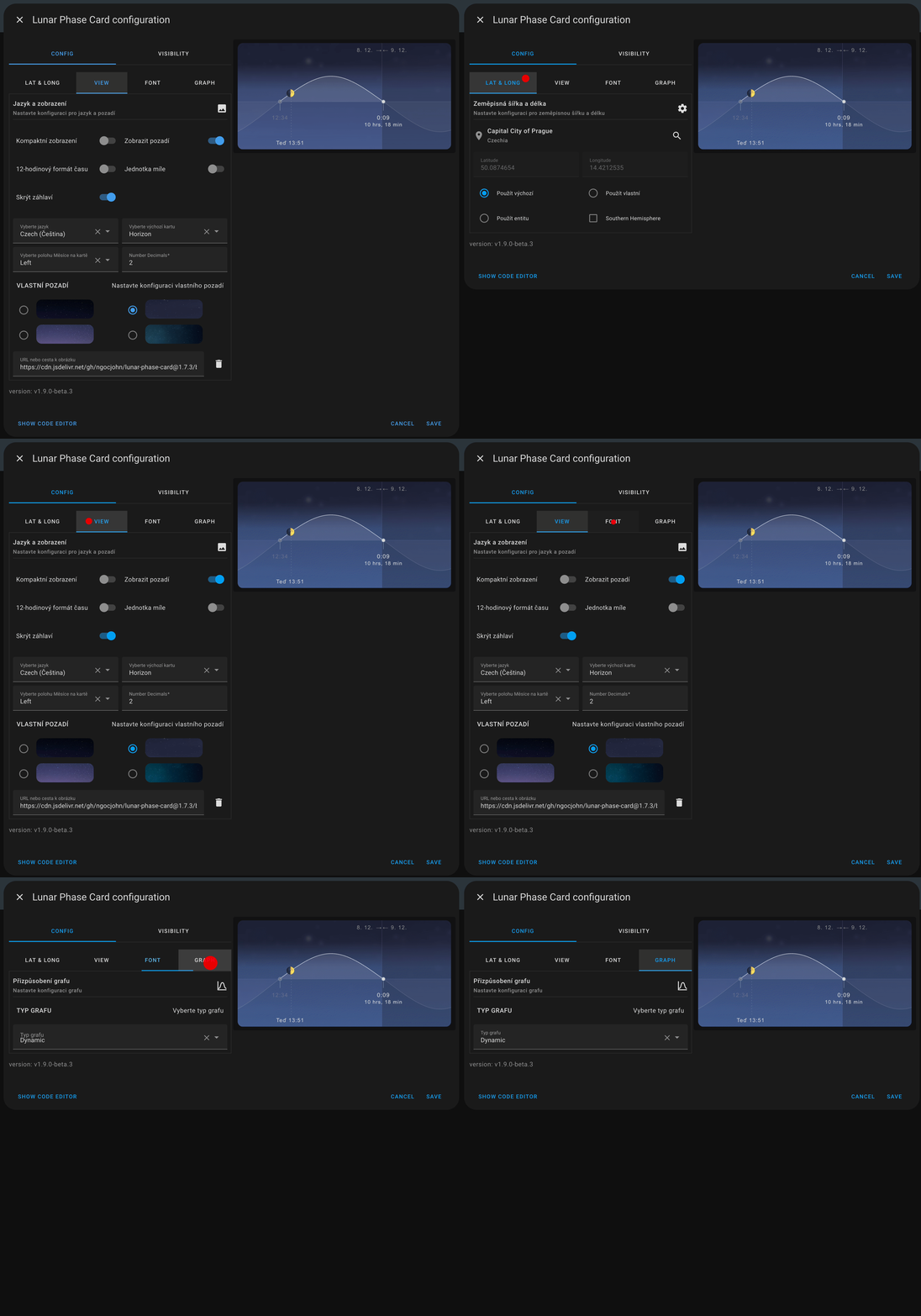
🌍 位置配置
| 名称 | 类型 | 要求 | 描述 |
|---|---|---|---|
type | string | 必填 | 卡片类型:custom:lunar-phase-card |
location_source | string | 可选 | 位置数据来源。选项:default、entity、custom。默认为 default。 |
entity | string | 可选 | 当 location_source: entity 时用作位置来源的实体。纬度和经度从实体属性中读取。 |
latitude | number | 可选 | 自定义纬度(当 location_source: custom 时使用)。 |
longitude | number | 可选 | 自定义经度(当 location_source: custom 时使用)。 |
southern_hemisphere | boolean | 可选 | 为南半球用户调整月亮方向。默认为 false。 |
🎨 外观与行为
| 名称 | 类型 | 要求 | 描述 |
|---|---|---|---|
language | string | Optional | 语言 ISO 代码。默认为 en。 |
default_section | string | Optional | 加载时显示的章节。选项:base, calendar, horizon, full_calendar。 |
compact_view | boolean | Optional | 启用紧凑卡片布局。默认为 false。 |
compact_mode | string | Optional | 紧凑模式样式。选项:default, minimal。 |
moon_position | string | Optional | 基础章节中月亮图像的位置。选项:left, right。 |
hide_background | boolean | Optional | 隐藏卡片背景图像。默认为 false。 |
custom_background | string | Optional | 自定义背景图像 URL。 |
hide_starfield | boolean | Optional | 隐藏星空背景层。 |
hide_buttons | boolean | Optional | 隐藏用于切换章节的菜单按钮。 |
compact_menu_button | boolean | Optional | 为菜单按钮使用紧凑样式。 |
hide_compact_label | boolean | Optional | 启用紧凑视图时隐藏标签。 |
calendar_modal | boolean | Optional | 在模态弹窗中打开日历章节。 |
custom_theme | string | Optional | 应用于卡片的自定义 Home Assistant 主题名称。 |
theme_mode | string | Optional | 主题模式。选项:auto, light, dark。默认为 auto。 |
📊 布局与数据可视化
| 名称 | 类型 | 要求 | 描述 |
|---|---|---|---|
hide_items | list | 可选 | 在数据视图中隐藏的数据项列表。 |
max_data_per_page | number | 可选 | 数据信息视图中每页的最大数据项数量。 |
number_decimals | number | 可选 | 数值显示的小数位数。 |
mile_unit | boolean | 可选 | 距离值使用英里而非公里。 |
12hr_format | boolean | 可选 | 使用 12 小时制而非 24 小时制时间格式。 |
font_config | object | 可选 | 卡片的字体自定义选项。 |
graph_chart_config | object | 可选 | 地平线部分的图表配置。 |
[!NOTE]
entity参数不是必需的。它指的是 Lunar Card Custom 组件的实体 ID,该组件可以在此处](https://github.com/ngocjohn/lunar-phase)安装。如果未定义entity,卡片将使用系统配置中的默认纬度和经度。
字体自定义选项
| 名称 | 类型 | 描述 |
|---|---|---|
header_font_size | string | 标题的字体大小。选项:auto、small、medium、large、x-large、xx-large。默认为 x-large。 |
header_font_style | string | 标题的文本样式。选项:none、capitalize、uppercase、lowercase。默认为 capitalize。 |
header_font_color | string | 标题文本的颜色。 |
label_font_size | string | 标签的字体大小。选项:auto、small、medium、large、x-large、xx-large。默认为 auto。 |
label_font_style | string | 标签的文本样式。选项:none、capitalize、uppercase、lowercase。默认为 none。 |
label_font_color | string | 标签文本的颜色。 |
hide_label | boolean | 是否隐藏卡片上的标签。默认为 false。 |
图表配置选项
| 名称 | 类型 | 描述 |
|---|---|---|
graph_type | string | 图表类型。选项:default、dynamic。默认为 default。 |
y_ticks | boolean | 是否显示 y 轴刻度。默认为 false。 |
x_ticks | boolean | 是否显示 x 轴刻度。默认为 false。 |
show_time | boolean | 是否在图表上显示时间标签。默认为 true。 |
show_current | boolean | 是否显示当前月球位置。默认为 true。 |
show_highest | boolean | 是否显示月球最高点。默认为 true。 |
y_ticks_position | string | y 轴刻度的位置。选项:left、right。默认为 left。 |
y_ticks_step_size | number | y 轴刻度的步长。默认为 30。 |
time_step_size | number | 时间标签的步长。默认为 30。 |
配置示例
以下是 Lunar Phase Card 的配置示例:
type: custom:lunar-phase-card
location_source: default
entity: sensor.lunar_phase
southern_hemisphere: false
latitude: 50.06038385213462
longitude: 14.399275481700899
language: en
hide_background: true
hide_starfield: true
custom_background: http://localhost:8235/background/moon_bg_2.png
theme_mode: dark
default_section: base
compact_view: false
moon_position: right
hide_buttons: false
compact_menu_button: false
hide_compact_label: false
calendar_modal: false
hide_items: []
number_decimals: 2
mile_unit: false
12hr_format: true
font_config:
  label_font_size: auto
  label_font_style: none
  label_font_color: ""
graph_chart_config:
  graph_type: dynamic
  y_ticks: false
  x_ticks: false
  show_time: false
  show_current: true
  show_highest: true
  y_ticks_position: left
  y_ticks_step_size: 30
  time_step_size: 30
  show_legend: true
  legend_position: top
  legend_align: center
徽章配置
要配置 Lunar Phase Badge,请在您的 Lovelace 徽章配置中使用以下参数:
🌍 位置配置
| 名称 | 类型 | 要求 | 描述 |
|---|---|---|---|
type | string | 必填 | 徽章类型:custom:lunar-phase-badge。 |
location_source | string | 可选 | 位置数据来源。选项:default、entity、custom。默认为 default。 |
entity | string | 可选 | 当 location_source: entity 时用作位置来源的实体。纬度和经度从实体属性中读取。 |
southern_hemisphere | boolean | 可选 | 为南半球用户调整月亮方向。默认为 false。 |
latitude | number | 可选 | 自定义纬度(当 location_source: custom 时使用)。 |
longitude | number | 可选 | 自定义经度(当 location_source: custom 时使用)。 |
🎨 外观与行为
| 名称 | 类型 | 要求 | 描述 |
|---|---|---|---|
language | string | Optional | 语言 ISO 代码。如果未设置,则使用 Home Assistant 的语言。 |
number_decimals | number | Optional | 数值显示的小数位数。编辑器范围为 0 到 5。 |
mile_unit | boolean | Optional | 距离值使用英里而非公里。 |
12hr_format | boolean | Optional | 使用 12 小时制而非 24 小时制时间格式。 |
icon_type | string | Optional | 月亮图标样式。选项:image、emoji、icon。默认为 image。 |
📄 内容配置
| 名称 | 类型 | 要求 | 描述 |
|---|---|---|---|
custom_name | boolean | 可选 | 启用自定义徽章名称文本。 |
name | string | 可选 | 徽章名称。如果 custom_name: true,则为自由文本。否则使用一个 moon 字段键来显示内置标签。 |
state_content | string | string[] | 可选 | 显示为徽章状态的字段。可以是一个或多个值。如果未设置,则显示当前月相名称。 |
show_name | boolean | 可选 | 显示徽章名称文本。默认为 false。 |
show_icon | boolean | 可选 | 显示月亮图标。默认为 true。 |
show_state | boolean | 可选 | 显示徽章状态文本。默认为 true。 |
可用的 moon 字段键
使用这些值配合 name(当 custom_name: false 时)和 state_content:
phaseNamemoonAgemoonFractionazimuthDegressaltitudeDegreesdistancepositionmoonRisemoonSetmoonHighestnextFullMoonnextNewMoonnextPhase
🤏 交互
| 名称 | 类型 | 要求 | 描述 |
|---|---|---|---|
tap_action | object | 可选 | 点按时的操作。 |
hold_action | object | 可选 | 长按时的操作。 |
double_tap_action | object | 可选 | 双击时的操作。 |
支持的操作类型有:more-info、toggle、navigate、url、perform-action、assist、none。
徽章配置示例
type: custom:lunar-phase-badge
location_source: default
entity: sensor.lunar_phase
southern_hemisphere: false
language: en
number_decimals: 2
mile_unit: false
12hr_format: true
icon_type: image
custom_name: false
name: phaseName
show_name: false
show_icon: true
show_state: true
state_content:
  - phaseName
  - moonFraction
tap_action:
  action: more-info
hold_action:
  action: none
double_tap_action:
  action: none
贡献指南
我们欢迎贡献,并感谢您在改进本项目方面提供的支持。如果您希望参与贡献,请遵循我们的贡献指南开始。
支持
如果您喜欢这张卡片,请考虑支持开发者

© 2024 Viet Ngoc
(返回顶部)