

VibeGraph
Turn any codebase into an interactive, AI-powered learning experience.
Upload your code → explore the call graph → ask AI anything about it.
▶️ Try it live → vibegraph.dev — no install needed

▶ Watch the full-motion version — smoother, with scene transitions










What is VibeGraph?
VibeGraph parses your codebase with AST analysis, renders it as an interactive graph, and lets you click any function or class to get an AI explanation, ask follow-up questions, or watch a "Ghost Runner" animate the execution flow in real time.
Built for people who learn by exploring — vibe coders, junior devs, or anyone dropped into an unfamiliar repo.
Supported languages
- Python: Deep AST parsing for full call graph visualization.
- JavaScript: Full support for ES6 modules and relationships.
- TypeScript: Full support including types and interfaces.
Screenshots
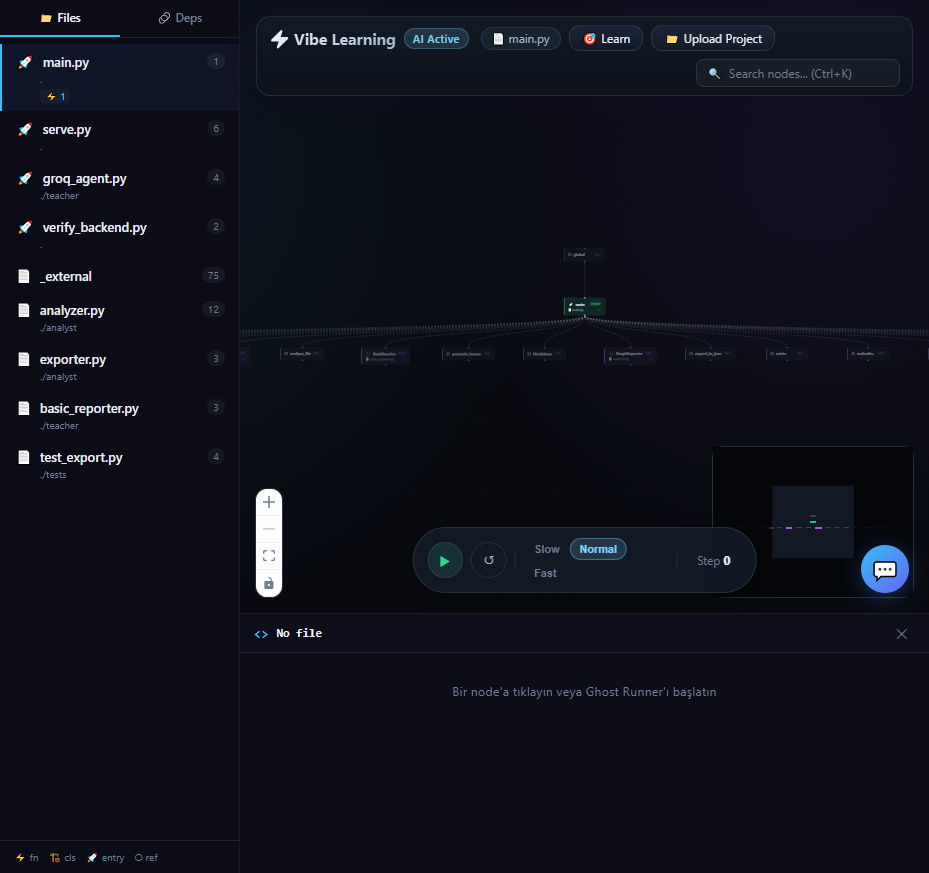 Interactive call graph — file sidebar, node type filtering
|
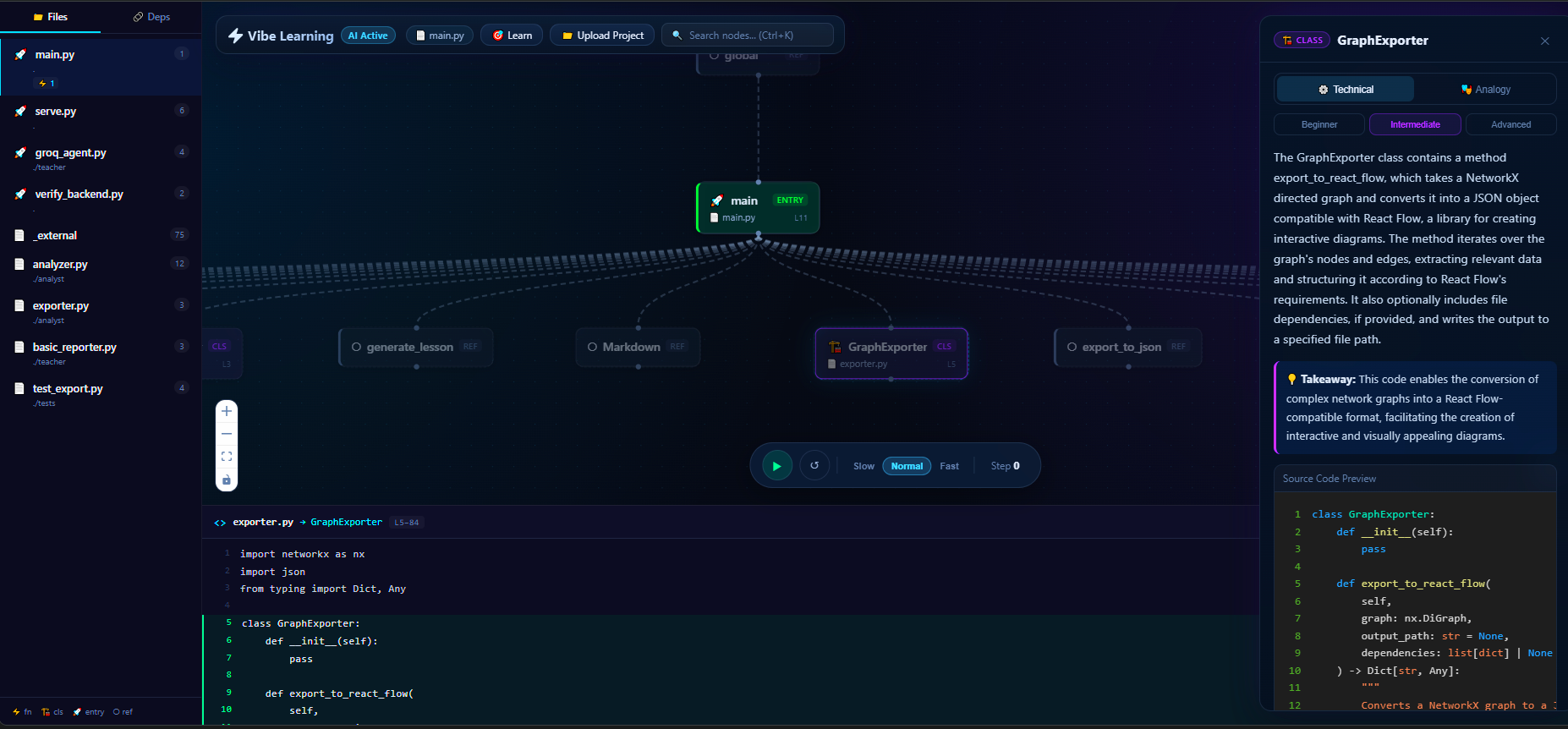 AI explanation panel — click any node, get Technical or Analogy view
|
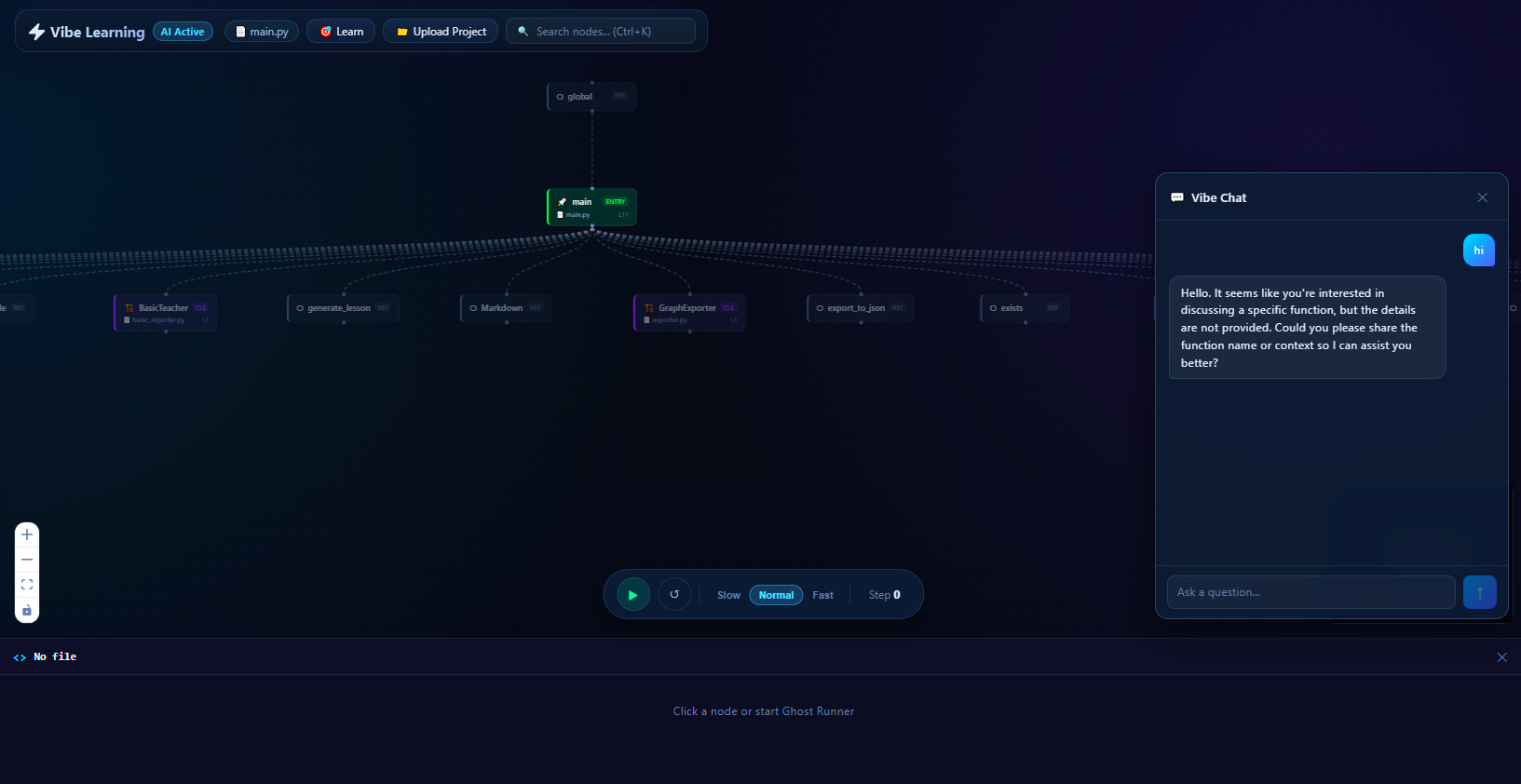 AI chat — multi-turn conversation with full code context
|
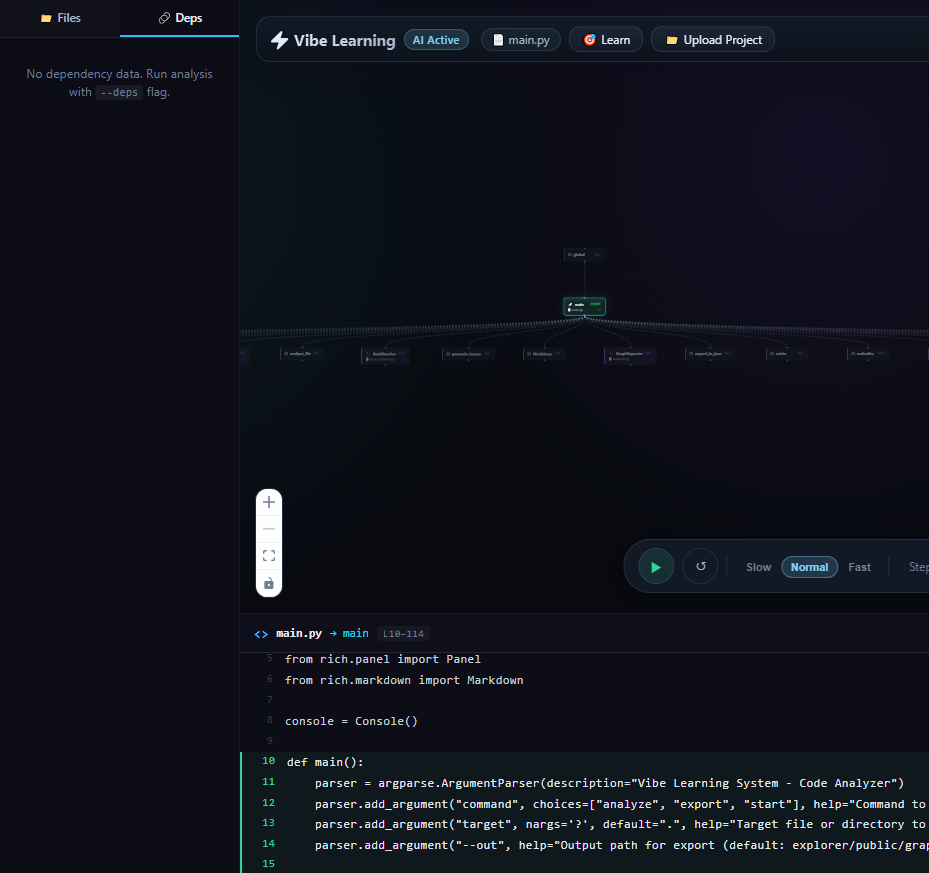 Dependency map — imports and relationships per file
|
Features
| Feature | Description | |
|---|---|---|
| 🧬 | Interactive Call Graph | Functions, classes, and relationships as a zoomable, pannable graph |
| 👻 | Ghost Runner v2 | Intelligent code traversal with 5 strategies (Smart, Entry Flow, Hub Tour, By File, Random), AI narration, Explore mode, progress tracking, and run summaries |
| 🔍 | Node Search | Fuzzy search across all nodes with Ctrl+K — instantly zooms and highlights |
| 💬 | AI Chat | Multi-turn conversation about any node — AI holds the full source as context |
| 🎓 | Learning Path | AI-suggested study order: start here, then go here, for any file |
| 📝 | Code Panel | Source code with line numbers for every selected node |
| 💡 | AI Explanations | Beginner / Intermediate / Advanced levels, Technical or Analogy mode |
| 📤 | Upload Any Project | Drop source files (like .py, .js, .ts) or a .zip of your whole project — graph appears instantly |
Ghost Runner v2
The Ghost Runner has been upgraded from a simple random walk to an intelligent, AI-powered code exploration tool:
- 5 Traversal Strategies — Smart (DFS from entry points with hub pause), Entry Flow (follow real execution paths), Hub Tour (visit most-connected nodes first), By File (explore file by file), Random (classic mode)
- AI Narration — Each step gets a brief AI-generated explanation: what the function does and how it connects to the previous one
- Explore Mode — Switch from Auto to Explore to guide the ghost yourself — choose which connected node to visit next
- Progress Tracking — Live coverage bar showing nodes visited vs total, with visited-node highlighting
- Run Summary — On pause, see a summary: nodes/files covered, most connected hub, unvisited entry points
Quick Start
Prerequisites
- Python 3.10+
- Node.js 18+
- OpenRouter API key — free at openrouter.ai (no credit card required)
1. Clone
git clone https://github.com/madara88645/VibeGraph.git
cd VibeGraph
2. Install dependencies
# Python backend
pip install -r requirements.txt

# React frontend
cd explorer && npm install && cd ..
3. Configure
Create a .env file in the project root:
OPENROUTER_API_KEY=your_openrouter_api_key_here
4. Run
Development mode (hot reload on both sides):
# Terminal 1 — backend
python serve.py

# Terminal 2 — frontend
cd explorer && npm run devProduction mode (single port, no Node needed after build):
cd explorer && npm run build && cd ..
python serve.py5. Use it
Upload your project — click Upload Project in the top bar, select source files (like .py, .js, .ts) or a .zip archive. The graph appears automatically.
Analyze via CLI (optional, for local files):
python main.py analyze path/to/your_project/Deployment
VibeGraph runs as a hybrid deployment:
| Component | Platform | URL |
|---|---|---|
| Backend API | Fly.io | vibegraph-api.fly.dev |
| Frontend SPA | Vercel | vibegraph.dev (Vercel alias: vibegraph.vercel.app) |
Docker Compose (local)
docker compose up
# Open http://localhost:8000
Manual Deploy
Backend (Fly.io):
fly deploy --config fly.toml --dockerfile Dockerfile.flyFrontend (Vercel):
Automatic deployment on push to main via Vercel integration.
Project Structure
VibeGraph/
├── app/                   # FastAPI application
│   ├── routers/           # API route handlers (upload, explain, chat, ghost, learning)
│   ├── utils/             # Security, sanitization, snippet extraction
│   ├── models.py          # Pydantic request/response models
│   ├── dependencies.py    # AI provider config (OpenRouter)
│   └── rate_limit.py      # Rate limiting configuration
├── analyst/
│   ├── analyzer.py        # AST parser → NetworkX graph
│   └── exporter.py        # NetworkX → React Flow JSON
├── teacher/
│   └── openrouter_teacher.py  # OpenRouter AI: explain / chat / ghost narration
├── explorer/              # React 19 + Vite frontend
│   └── src/components/    # GraphViewer, ChatDrawer, CodePanel, ProjectUpload, ...
├── tests/                 # 128+ pytest backend tests
├── .github/workflows/     # CI/CD (lint, security, tests, deploy)
├── fly.toml               # Fly.io deployment config
├── Dockerfile.fly         # Backend container
├── serve.py               # FastAPI server entry point
├── main.py                # CLI entry point
└── requirements.txt
API
| Method | Endpoint | Description |
|---|---|---|
GET | /api/health | Health check |
GET | /api/ai-config | AI provider configuration discovery |
POST | /api/upload-project | Upload .py/.zip, returns graph JSON |
POST | /api/snippet | Extract source code for a node |
POST | /api/explain | AI explanation for a node |
POST | /api/chat | Multi-turn AI conversation |
POST | /api/chat/stream | SSE streaming AI conversation |
POST | /api/learning-path | AI-suggested learning order |
POST | /api/ghost-narrate | Ghost Runner AI narration |
Tech Stack
| Layer | Technology |
|---|---|
| Backend | Python 3.12, FastAPI, NetworkX, ast stdlib |
| AI | OpenRouter — DeepSeek V4 Flash, Qwen3 Coder 30B, Gemini 3.1 Flash Lite, Claude Sonnet 4.6 |
| Frontend | React 19, React Flow, Vite 7 |
| Styling | Custom CSS — dark/light themes, glassmorphism |
| Testing | pytest (128 tests), Vitest (80 tests) |
| Deploy | Fly.io (backend), Vercel (frontend) |
| Security | Rate limiting, path traversal protection, zip bomb prevention, prompt sanitization |
Tests
# Backend (128 tests)
python -m pytest tests/ -v

# Frontend (80 tests)
cd explorer && npx vitest run
Privacy & Data Isolation
VibeGraph is designed with complete data isolation:
- No database — No user accounts, no persistent storage on the server
- Ephemeral uploads — Files are analyzed in a temporary directory and deleted immediately after processing
- Client-side persistence — Analysis results are stored only in your browser's
localStorage - No cross-user visibility — Each user's data is completely isolated; no one else can see your uploads
- Automatic cleanup — Temporary upload directories are purged after 1 hour
License
Licensed under the GNU Affero General Public License v3.0 (AGPL-3.0).