

Uptime Kuma
Uptime Kuma 是一款易于使用的自托管监控工具。







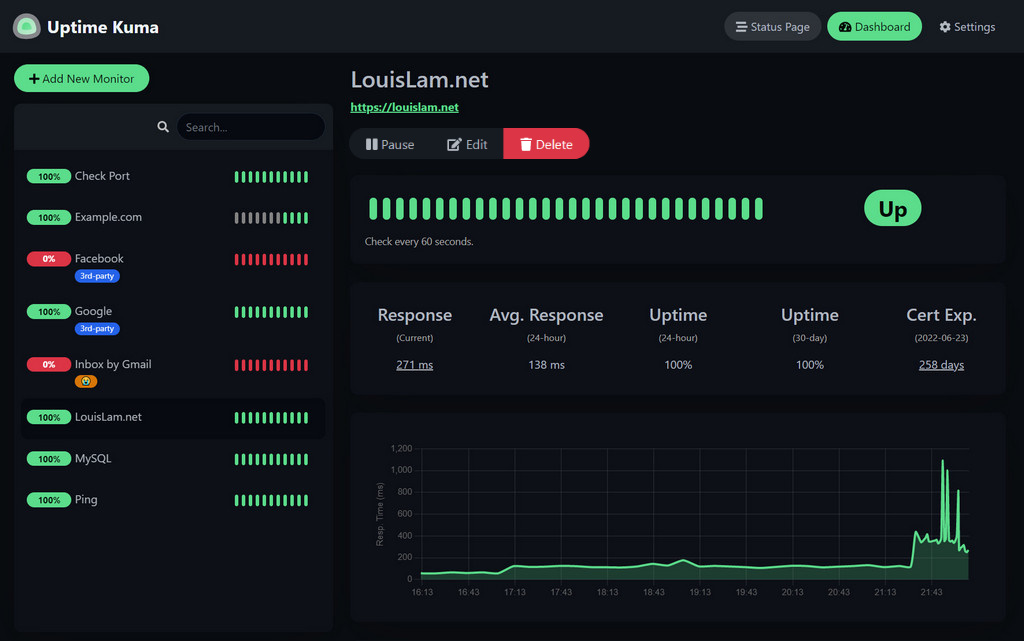
🥔 实时演示
试试看!
演示服务器(位置:德国法兰克福):https://demo.kuma.pet/start-demo
这是一个临时的实时演示,所有数据将在 10 分钟后被删除。由 Uptime Kuma 赞助者 赞助。
⭐ 功能
- 监控 HTTP(s) / TCP / HTTP(s) 关键字 / HTTP(s) Json 查询 / Websocket / Ping / DNS 记录 / 推送 / Steam 游戏服务器 / Docker 容器的正常运行时间
- 精美、响应迅速、快速的 UI/UX
- 通过 Telegram、Discord、Gotify、Slack、Pushover、电子邮件 (SMTP) 以及 90+ 通知服务,点击此处查看完整列表 发送通知
- 20 秒间隔
- 多语言支持
- 多个状态页面
- 将状态页面映射到特定域名
- Ping 图表
- 证书信息
- 代理支持
- 2FA 支持
🔧 如何安装
🐳 Docker Compose
mkdir uptime-kuma
cd uptime-kuma
curl -o compose.yaml https://raw.githubusercontent.com/louislam/uptime-kuma/master/compose.yaml
docker compose up -d
Uptime Kuma 现在正在所有网络接口上运行(例如 http://localhost:3001 或 http://your-ip:3001)。
[!WARNING] 诸如 NFS(网络文件系统)之类的文件系统不受支持。请映射到本地目录或卷。
🐳 Docker 命令
docker run -d --restart=always -p 3001:3001 -v uptime-kuma:/app/data --name uptime-kuma louislam/uptime-kuma:2Uptime Kuma 现在正在所有网络接口上运行(例如 http://localhost:3001 或 http://your-ip:3001)。
如果您希望将暴露范围限制为仅 localhost:
docker run ... -p 127.0.0.1:3001:3001 ...💪🏻 非 Docker
要求:
- 平台
- ✅ 主要 Linux 发行版,如 Debian、Ubuntu、Fedora 和 ArchLinux 等
- ✅ Windows 10 (x64)、Windows Server 2012 R2 (x64) 或更高版本
- ❌ FreeBSD / OpenBSD / NetBSD
- ❌ Replit / Heroku
- Node.js >= 20.4
- Git
- pm2 - 用于在后台运行 Uptime Kuma
git clone https://github.com/louislam/uptime-kuma.git
cd uptime-kuma
npm run setup

# Option 1. Try it
node server/server.js

# (Recommended) Option 2. Run in the background using PM2
# Install PM2 if you don't have it:
npm install pm2 -g && pm2 install pm2-logrotate

# Start Server
pm2 start server/server.js --name uptime-kuma
Uptime Kuma 现在正在所有网络接口上运行(例如 http://localhost:3001 或 http://your-ip:3001)。
更多有用的 PM2 命令
# If you want to see the current console output
pm2 monit

# If you want to add it to startup
pm2 startup && pm2 save
高级安装
如果你需要更多选项,或者需要通过反向代理进行浏览,请阅读:
https://github.com/louislam/uptime-kuma/wiki/%F0%9F%94%A7-How-to-Install
🆙 如何更新
请阅读:
https://github.com/louislam/uptime-kuma/wiki/%F0%9F%86%99-How-to-Update
🆕 接下来是什么?
我会将请求/问题分配给下一个里程碑。
https://github.com/louislam/uptime-kuma/milestones
❤️ 赞助者
非常感谢!(GitHub Sponsors 将手动更新。OpenCollective 赞助者将自动更新,但该列表会被 GitHub 缓存。更新可能需要一些时间)
🖼 更多截图
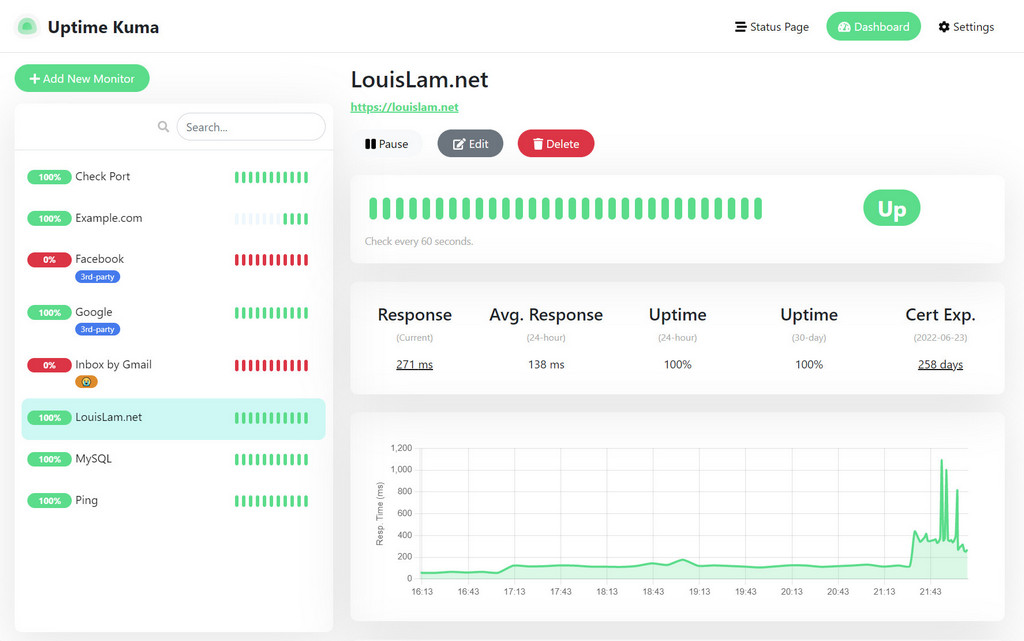
浅色模式:
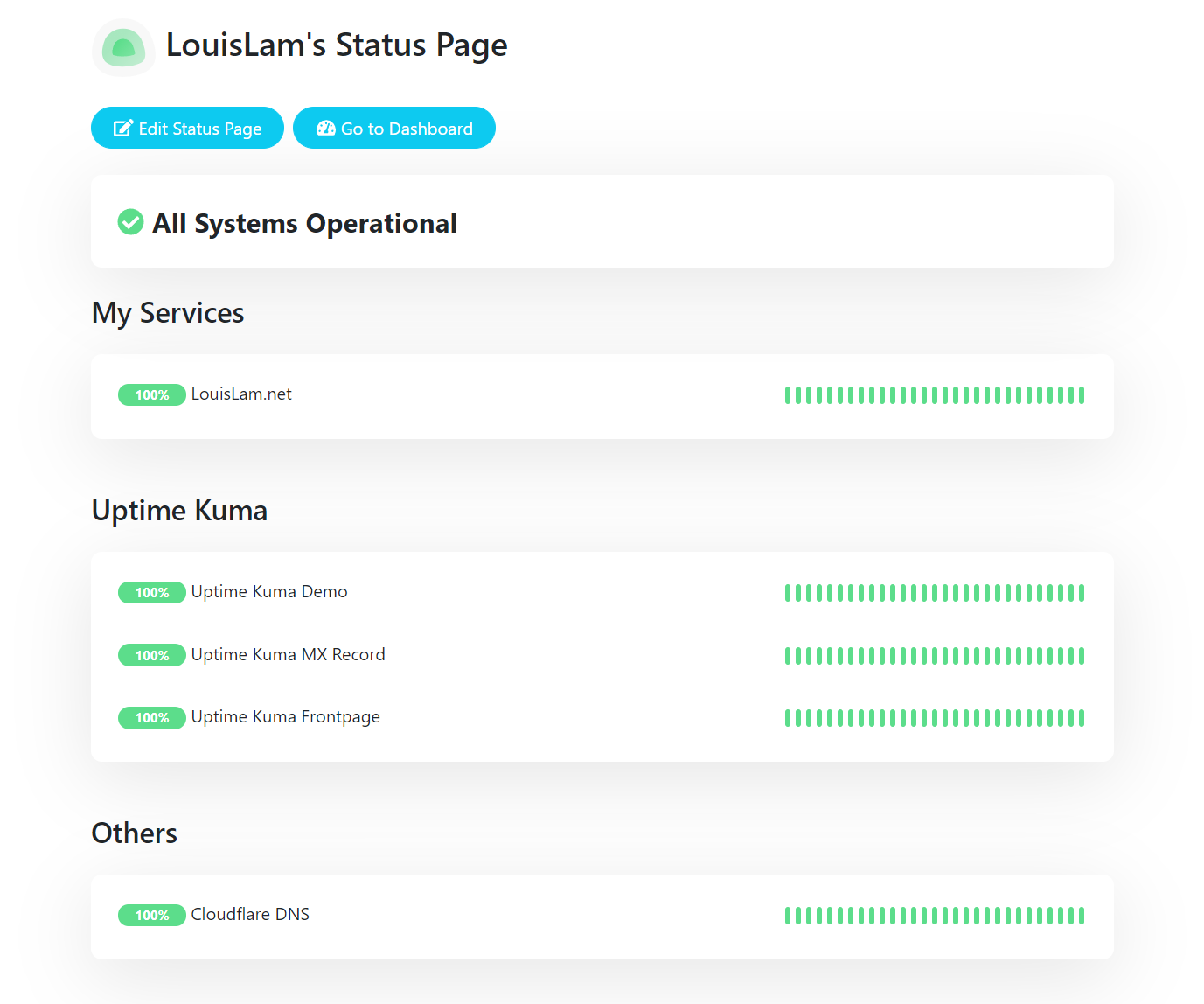
状态页:
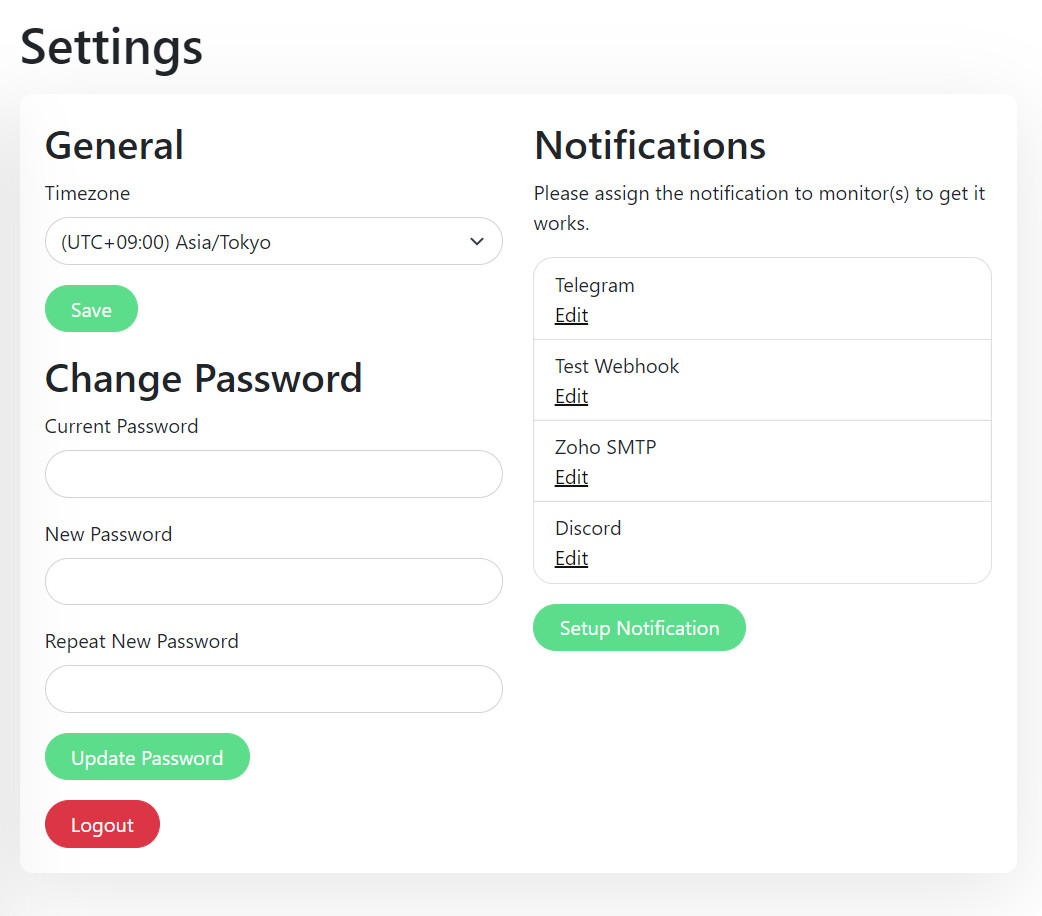
设置页:
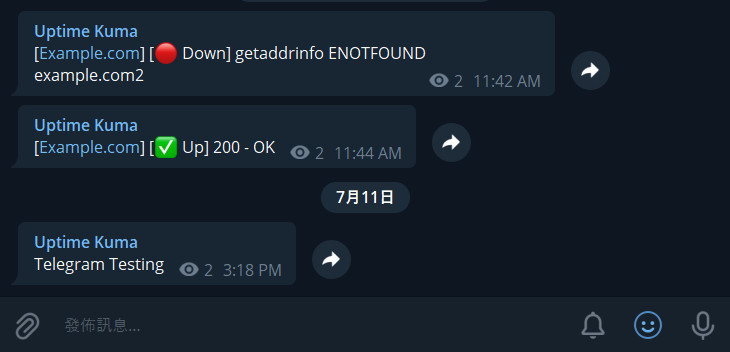
Telegram 通知示例:
动机
- 我一直在寻找一款类似 "Uptime Robot" 的自托管监控工具,但很难找到合适的。其中最接近的是 statping。不幸的是,它不稳定且不再维护。
- 想要构建一个精美的 UI。
- 学习 Vue 3 和 vite.js。
- 展示 Bootstrap 5 的强大功能。
- 尝试在 SPA 中使用 WebSocket 而不是 REST API。
- 将我的第一个 Docker 镜像部署到 Docker Hub。
如果你喜欢这个项目,请考虑给它一个 ⭐。
🗣️ 讨论 / 寻求帮助
⚠️ 对于任何一般性或技术问题,请不要给我发送电子邮件,因为我无法以这种方式提供支持。如果你在那里提问,我将不会回复。
我建议使用 Google、GitHub Issues 或 Uptime Kuma 的 subreddit 来寻找你问题的答案。如果你找不到所需的信息,请随时提问:
我的 Reddit 账号:u/louislamlam 如果你在 subreddit 上提问,可以提及我。
贡献
创建 Pull Requests
Pull requests 很棒。 为了保持审查快速且有效,请确保你已阅读我们的 pull request 指南。
测试 Pull Requests
现在有很多 pull requests,但我没有时间测试它们全部。
如果你想帮忙,你可以查看这个: https://github.com/louislam/uptime-kuma/wiki/Test-Pull-Requests
测试 Beta 版本
在此处查看最新的 beta 版本:https://github.com/louislam/uptime-kuma/releases
Bug 报告 / 功能请求
如果您想要报告一个 bug 或请求一个新功能,请随时打开一个 new issue。
Translations
如果您想要将 Uptime Kuma 翻译成您的语言,请访问 Weblate Readme。
Spelling & Grammar
请随时更正文档或代码中的语法。 我的母语不是英语,我的语法也不是很好。