
hatamiarash7/pingpe-overview · 文件
文件最后提交记录最后更新时间
README.md
ping.pe overview



It's an Extension to calculate the global latency from all locations of the current ping.pe page.
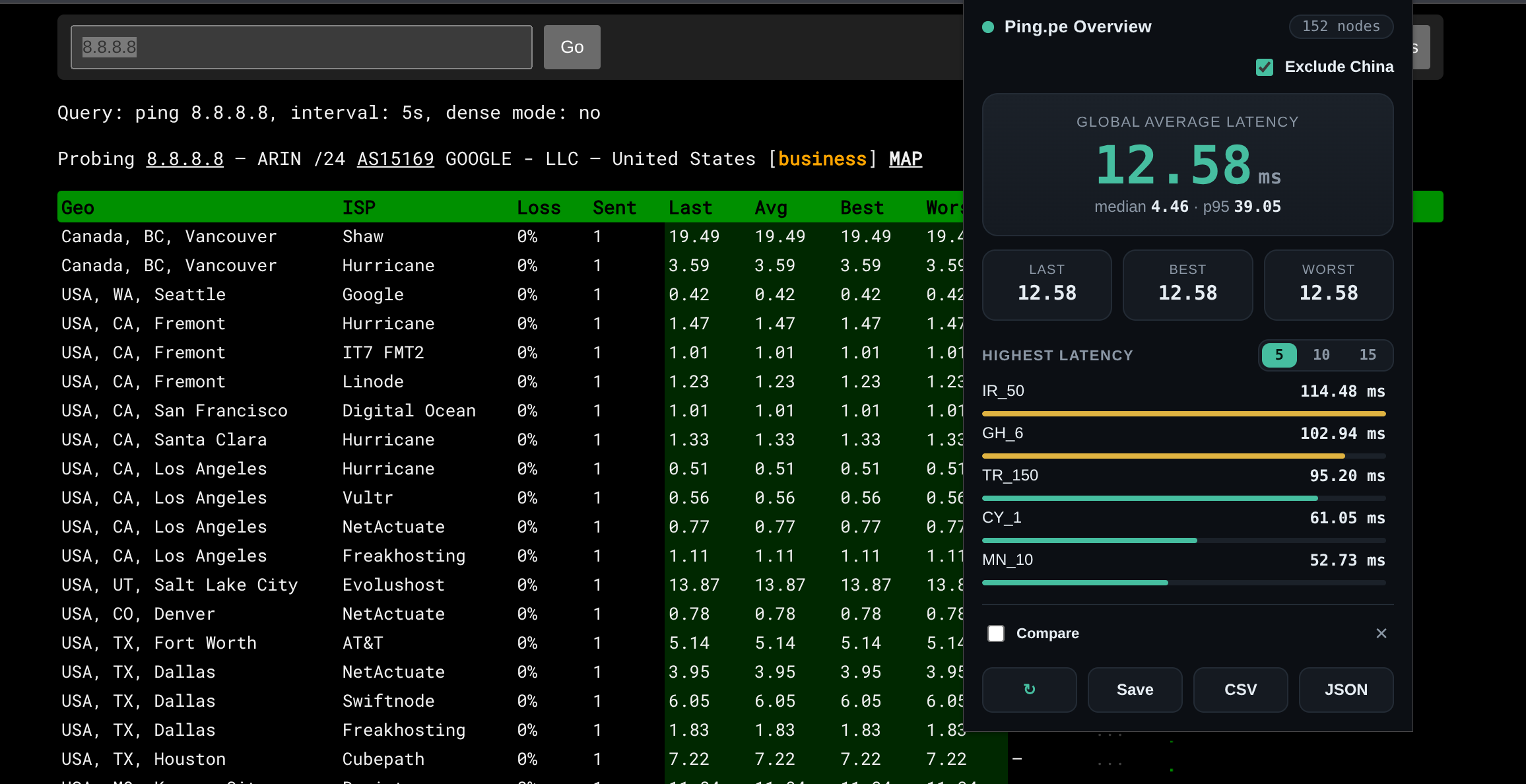
Features
- Global summary — mean, median, and p95 of the average latency across every location, plus mean last/best/worst, all colour-coded by health.
- Exclude China — drop China nodes from every stat with a single toggle. Your choice is remembered across sessions.
- Live updates — statistics refresh automatically as ping results stream in.
- Highest-latency list — see the top 5, 10, or 15 slowest locations, with an inline latency bar per node. Your choice is remembered across sessions.
- Snapshot & compare — save a run as a baseline, then compare later runs against it to see per-metric and per-location deltas (improved values in green, worse in red). New and removed locations are tagged.
- Export — download the per-location data as CSV or JSON, or refresh on demand.
Usage
- Visit the Ping.pe Overview add-on page and add it to your browser.
- Open a
ping.peping page, for example ping.pe/8.8.8.8, and let the results load. - With that tab active, click the extension icon in the toolbar or extension list to see the statistics.
To compare two runs, click Save to store the current run as a baseline, run your ping again (or change something and re-run), then turn on the Compare toggle to view the differences.
Support 💛



Contributing 🤝
Don't be shy and reach out to us if you want to contribute 😉
- Fork it!
- Create your feature branch:
git checkout -b my-new-feature - Commit your changes:
git commit -am 'Add some feature' - Push to the branch:
git push origin my-new-feature - Submit a pull request
Issues
Each project may have many problems. Contributing to the better development of this project by reporting them.