
Fastfetch












Fastfetch 是一个 neofetch 风格的工具,用于获取系统信息并以美观的方式显示。它主要使用 C 语言编写,注重性能和可定制性。目前,它支持 Linux、macOS、Windows 8.1+、Android、FreeBSD、OpenBSD、NetBSD、DragonFly、Haiku 和 SunOS (illumos, Solaris)。
注意:Fastfetch 仅在 x86-64 和 aarch64 平台上进行积极测试。它可能可以在其他平台上运行,但不保证如此。
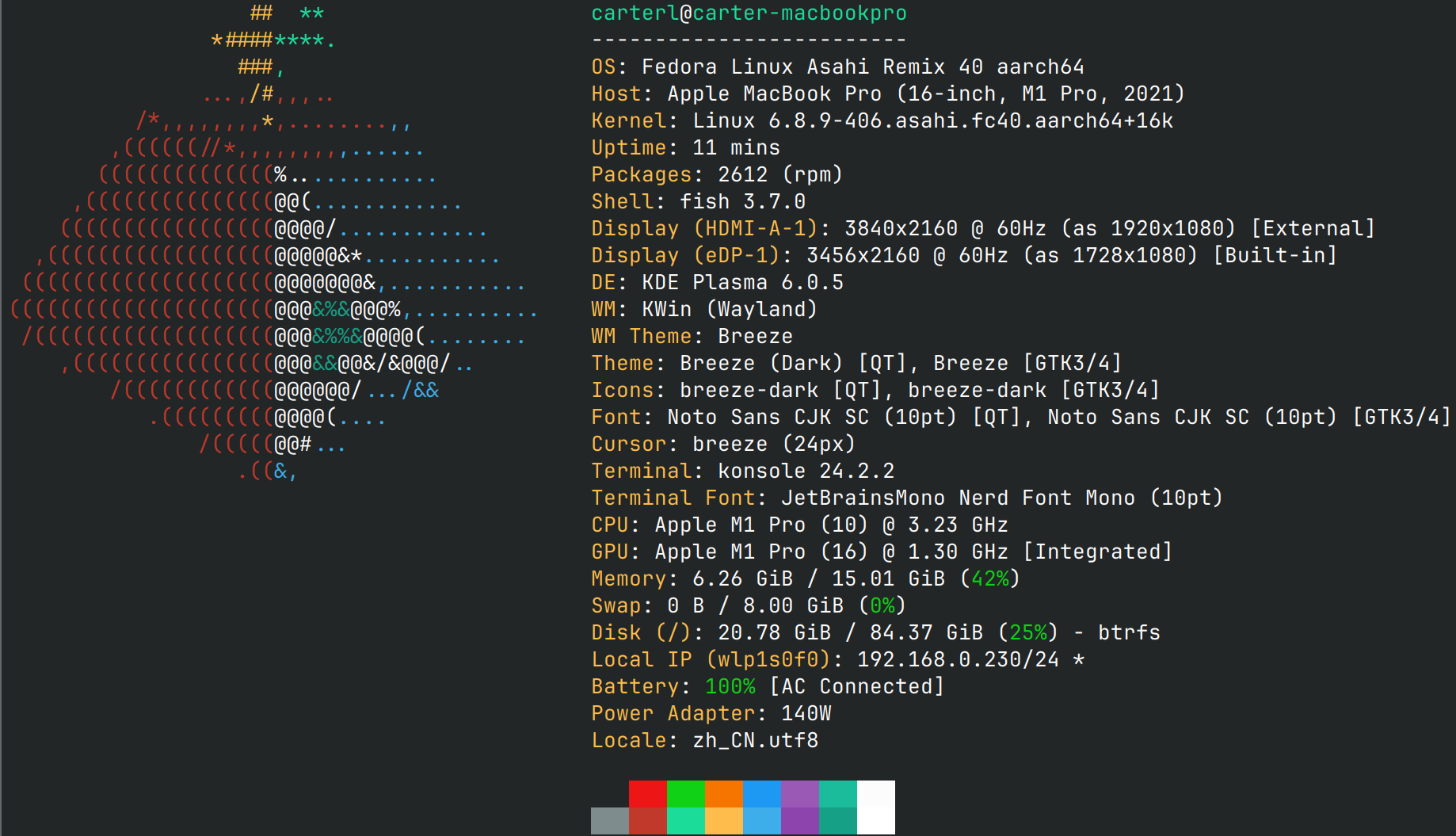

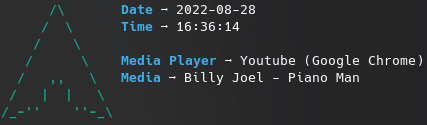
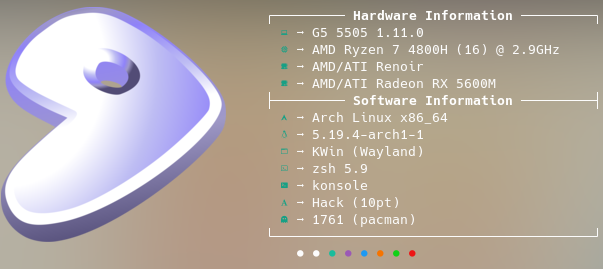
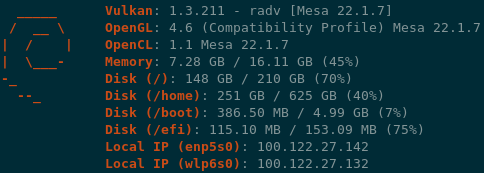
配置文件的示例位于 此处。
这里有 不同平台上的截图。
安装
Linux
某些发行版打包了过时的 fastfetch 版本。旧版本不再提供支持,因此请始终尝试使用最新版本。

- Ubuntu:
ppa:zhangsongcui3371/fastfetch(Ubuntu 22.04 或更高版本;最新版本) - Debian / Ubuntu:
apt install fastfetch(Debian 13 或更高版本;Ubuntu 25.04 或更高版本) - Debian / Ubuntu: 从 Github release page 下载
fastfetch-linux-<proper architecture>.deb并双击运行(适用于 Ubuntu 20.04 或更高版本以及 Debian 11 或更高版本)。 - Arch Linux:
pacman -S fastfetch - Fedora:
dnf install fastfetch - Gentoo:
emerge --ask app-misc/fastfetch - Alpine:
apk add --upgrade fastfetch - NixOS:
nix-shell -p fastfetch - openSUSE:
zypper install fastfetch - ALT Linux:
apt-get install fastfetch - Exherbo:
cave resolve --execute app-misc/fastfetch - Solus:
eopkg install fastfetch - Slackware:
sbopkg -i fastfetch - Void Linux:
xbps-install fastfetch - Venom Linux:
scratch install fastfetch
您可能需要 sudo、doas 或 sup 来运行这些命令。
如果您的发行版未打包 fastfetch 或打包的版本已过时,linuxbrew 是一个不错的选择:brew install fastfetch
macOS
Windows
- scoop:
scoop install fastfetch - Chocolatey:
choco install fastfetch - winget:
winget install fastfetch - MSYS2 MinGW:
pacman -S mingw-w64-<subsystem>-<arch>-fastfetch
您也可以直接从 the GitHub releases page 下载该程序的归档文件。
BSD 系统
- FreeBSD:
pkg install fastfetch - NetBSD:
pkgin in fastfetch - OpenBSD:
pkg_add fastfetch(仅限快照) - DragonFly BSD:
pkg install fastfetch(仅限快照)
Android (Termux)
pkg install fastfetch
夜间
https://nightly.link/fastfetch-cli/fastfetch/workflows/ci/dev?preview
从源码构建
参见 Wiki:https://github.com/fastfetch-cli/fastfetch/wiki/Building
用法
- 使用默认配置运行:
fastfetch - 运行 所有受支持的模块 以查找您感兴趣的内容:
fastfetch -c all.jsonc - 查看 fastfetch 检测到的所有数据:
fastfetch -s <module1>[:<module2>][:<module3>] --format json - 显示帮助信息:
fastfetch --help - 生成一个最小配置文件:
fastfetch [-s <module1>[:<module2>]] --gen-config [</path/to/config.jsonc>]- 使用:
--gen-config-full生成包含所有可选选项的完整配置文件
- 使用:
自定义
Fastfetch 使用 JSONC(带注释的 JSON)进行配置。参见 Wiki 了解详情。在 presets 目录中有一些预制配置文件,包括上述截图所使用的文件。您可以使用 -c <filename> 加载它们。这些文件可以作为配置语法的示例。
Logo 也可以进行大量自定义;有关更多信息,请参见 logo 文档。
警告
Fastfetch 支持一个 Command 模块,该模块可以运行任意 shell 命令。如果您从不可信来源复制粘贴配置文件,其中可能包含可能损害您的系统或侵犯您隐私的恶意命令。请务必在使用前审查配置文件。
常见问题
问:Neofetch 已经够好了。我为什么需要 fastfetch?
- Fastfetch 正在积极维护中。
- 正如名字所暗示的那样,Fastfetch 速度更快。
- Fastfetch 拥有更多的功能,尽管默认情况下只启用了少数模块;请使用
fastfetch -c all来发现您想要的功能。 - Fastfetch 的可配置性更强。您可以在 Wiki 中找到更多信息:https://github.com/fastfetch-cli/fastfetch/wiki/Configuration。
- Fastfetch 更加精致。例如,neofetch 在 Memory 模块中打印
555 MiB,在 Disk 模块中打印23 G,而 fastfetch 分别打印555.00 MiB和22.97 GiB。 - Fastfetch 更加准确。例如,neofetch 实际上并不支持 Wayland 协议。
问:Fastfetch 显示了我的本地 IP 地址。这会泄露我的隐私吗?
本地 IP 地址(10.x.x.x, 172.x.x.x, 192.168.x.x)与隐私无关。它只有在您处于同一网络中时才有意义,例如,当您连接到同一个 Wi-Fi 网络时。
实际上,Local IP 模块对我来说是最有用的模块。我(@CarterLi)安装了几台虚拟机来测试 fastfetch,并且经常需要 SSH 连接到它们。由于在 shell 启动时运行 fastfetch,我从来不需要手动输入 ip addr。
如果您真的不喜欢它,可以在 config.jsonc 中禁用 Local IP 模块。
问:配置文件在哪里?我找不到它。
Fastfetch 不会自动生成配置文件。您可以使用 fastfetch --gen-config 来生成一个。配置文件默认会保存在 ~/.config/fastfetch/config.jsonc 中。有关详细信息,请参阅 Wiki。
问:配置太复杂了。文档在哪里?
Fastfetch 使用 JSON(带注释)进行配置。建议使用支持 JSON schema 的 IDE(如 VSCode)进行编辑。
或者,您可以参考 presets 目录 中的预设。
编辑配置的正确方式:
这是一个将大小前缀从 MiB / GiB 更改为 MB / GB 的示例](https://github.com/fastfetch-cli/fastfetch/discussions/1014)。使用的编辑器:[helix](https://github.com/helix-editor/helix)

Q: 我要文档!
文档在这里。它由 JSON schema 生成,但你可能会觉得它不太用户友好。
Q: 我如何自定义模块输出?
Fastfetch 使用 format 来生成输出。例如,要让 GPU 模块仅显示 GPU 名称(不显示其他信息),你可以使用:
{
    "modules": [
        {
            "type": "gpu",
            "format": "{name}" // See `fastfetch -h gpu-format` for details
        }
    ]
}
...这与 fastfetch -s gpu --gpu-format '{name}' 等价
有关基本用法的详细信息,请参阅 fastfetch -h format。有关特定模块的格式设置,请参阅 fastfetch -h <module>-format
问:我有自己的 ASCII 艺术 / 图像文件。如何使用 fastfetch 显示它?
请尝试 fastfetch -l /path/to/logo。有关详细信息,请参阅 logo 文档。
如果您只想以 FIGlet 文本 显示发行版名称:
# install pyfiglet and jq first
pyfiglet -s -f small_slant $(fastfetch -s os --format json | jq -r '.[0].result.name') && fastfetch -l none
问:我的图像 logo 行为异常。如何修复?
请参阅故障排除部分:https://github.com/fastfetch-cli/fastfetch/wiki/Logo-options#troubleshooting
问:Fastfetch 在 shell 启动时以黑白模式运行。为什么?
此问题通常在使用 fastfetch 配合 p10k 时发生。fastfetch 与 p10k 即时提示之间存在已知的不兼容性问题。
p10k 文档明确指出,在 p10k-instant-prompt 初始化后,不应向 stdout 打印任何内容。您应该将 fastfetch 放在 p10k-instant-prompt 的初始化之前(推荐)。
您可以始终使用 fastfetch --pipe false 强制 fastfetch 以彩色模式运行。
问:为什么 fastfetch 和 neofetch 显示的内存使用结果不同?
请参阅 #1096。
问:Fastfetch 显示的 dpkg 软件包数量少于 neofetch。这是 bug 吗?
- Neofetch 错误地统计了 apt 的
rc软件包(已移除但仍保留配置文件的软件包)。参见 bug:https://github.com/dylanaraps/neofetch/issues/2278 - Neofetch 错误地将
gpg-pubkey统计为 rpm 的软件包。您可以检查dnf list --installed | wc -l和rpm -qa | wc -l的结果以查看差异。
问:我使用 Debian / Ubuntu / 基于 Debian 的发行版。我的 GPU 被检测为 XXXX Device XXXX (VGA compatible)。这是 bug 吗?
尝试升级 pci.ids:下载 https://pci-ids.ucw.cz/v2.2/pci.ids 并覆盖文件 /usr/share/hwdata/pci.ids。对于 AMD GPU,您还应该升级 amdgpu.ids:下载 https://gitlab.freedesktop.org/mesa/drm/-/raw/main/data/amdgpu.ids 并覆盖文件 /usr/share/libdrm/amdgpu.ids
或者,您可以尝试使用 fastfetch --gpu-driver-specific,这将使 fastfetch 在受支持的情况下尝试向驱动程序请求 GPU 名称。
问:以 root 身份运行 fastfetch 时出现错误 Authorization required, but no authorization protocol specified
尝试 export XAUTHORITY=$HOME/.Xauthority
问:Fastfetch 无法检测我的第三方 macOS 窗口管理器!
请尝试 fastfetch --wm-detect-plugin。另请参阅 #984
问:我如何更改 ASCII 标志的颜色?
请尝试 fastfetch --logo-color-[1-9] <color>,其中 [1-9] 是颜色占位符的索引。
例如:fastfetch --logo-color-1 red --logo-color-2 green。
在 JSONC 中,你可以使用:
{
    "logo": {
        "color": {
            "1": "red",
            "2": "green"
        }
    }
}
Q: 如何隐藏一个键?
将该键设置为空白。
{
    "key": " "
}
问:如何在 Windows 上显示图像?
截至 2025 年 4 月:
mintty 与 Wezterm
mintty(由 Bash on Windows 和 MSYS2 使用)和 Wezterm(仅限 nightly build)在 Windows 上支持 iTerm 图像协议。
在 config.jsonc 中:
{
  "logo": {
    "type": "iterm",
    "source": "C:/path/to/image.png",
    "width": <num-in-chars>
  }
}
Windows Terminal
Windows Terminal 仅支持 sixel 图像协议。
- If you installed fastfetch through MSYS2:
- Install imagemagick:
pacman -S mingw-w64-<subsystem>-x86_64-imagemagick - In
config.jsonc:
- Install imagemagick:
{
  "logo": {
    "type": "sixel", // DO NOT USE "auto"
    "source": "C:/path/to/image.png", // Do NOT use `~` as fastfetch is a native Windows program and doesn't apply cygwin path conversion
    "width": <image-width-in-chars>, // Optional
    "height": <image-height-in-chars> // Optional
  }
}- If you installed fastfetch via scoop or downloaded the binary directly from the GitHub Releases page:
- Convert your image manually to sixel format using any online image conversion service
- In
config.jsonc:
{
  "logo": {
    "type": "raw", // DO NOT USE "auto"
    "source": "C:/path/to/image.sixel",
    "width": <image-width-in-chars>, // Required
    "height": <image-height-in-chars> // Required
  }
}
问:我想要功能 A / B / C。fastfetch 会支持吗?
Fastfetch 是一个系统信息工具。我们仅接受硬件或系统级软件功能请求。对于大多数个人用途,我建议使用 Command 模块来实现自定义功能,该模块可用于获取自定义 shell 脚本的输出:
// This module shows the default editor
{
    "modules": [
        {
            "type": "command",
            "text": "$EDITOR --version | head -1",
            "key": "Editor"
        }
    ]
}
否则,请在 GitHub Issues 中提交功能请求。
问:我有问题。在哪里可以获得帮助?
- 对于使用问题,请在 GitHub Discussions 中发起讨论。
- 对于可能的 bug,请在 GitHub Issues 中提交 issue。请务必仔细填写 bug 报告模板,以帮助开发者进行调查。
捐赠
如果你觉得 Fastfetch 有用,请考虑捐赠。
- 当前维护者:@CarterLi
- 原作者:@LinusDierheimer
代码签名
- 由 SignPath.io 提供免费代码签名,证书由 SignPath Foundation 提供
- 除非用户或安装或操作该程序的人员特别要求,否则此程序不会向其他联网系统传输任何信息
Star 历史
给我们一个 star 以表示你的支持!