
行为视觉套件
Chengshu Li, Wensi Ai, Benjamin Jose Martinez, Arman Aydin, Mona Anvari, Ayush K Chakravarthy, Hong-Xing Yu, Josiah Wong, Sanjana Srivastava, Sharon Lee, Shengxin Zha, Laurent Itti, Yunzhu Li, Roberto Martín-Martín, Miao Liu, Pengchuan Zhang, Ruohan Zhang, Li Fei-Fei, Jiajun Wu
<span>Harvard </span>
<span>Meta </span>
<span>UT Austin </span>
<span>UIUC</span>
概述
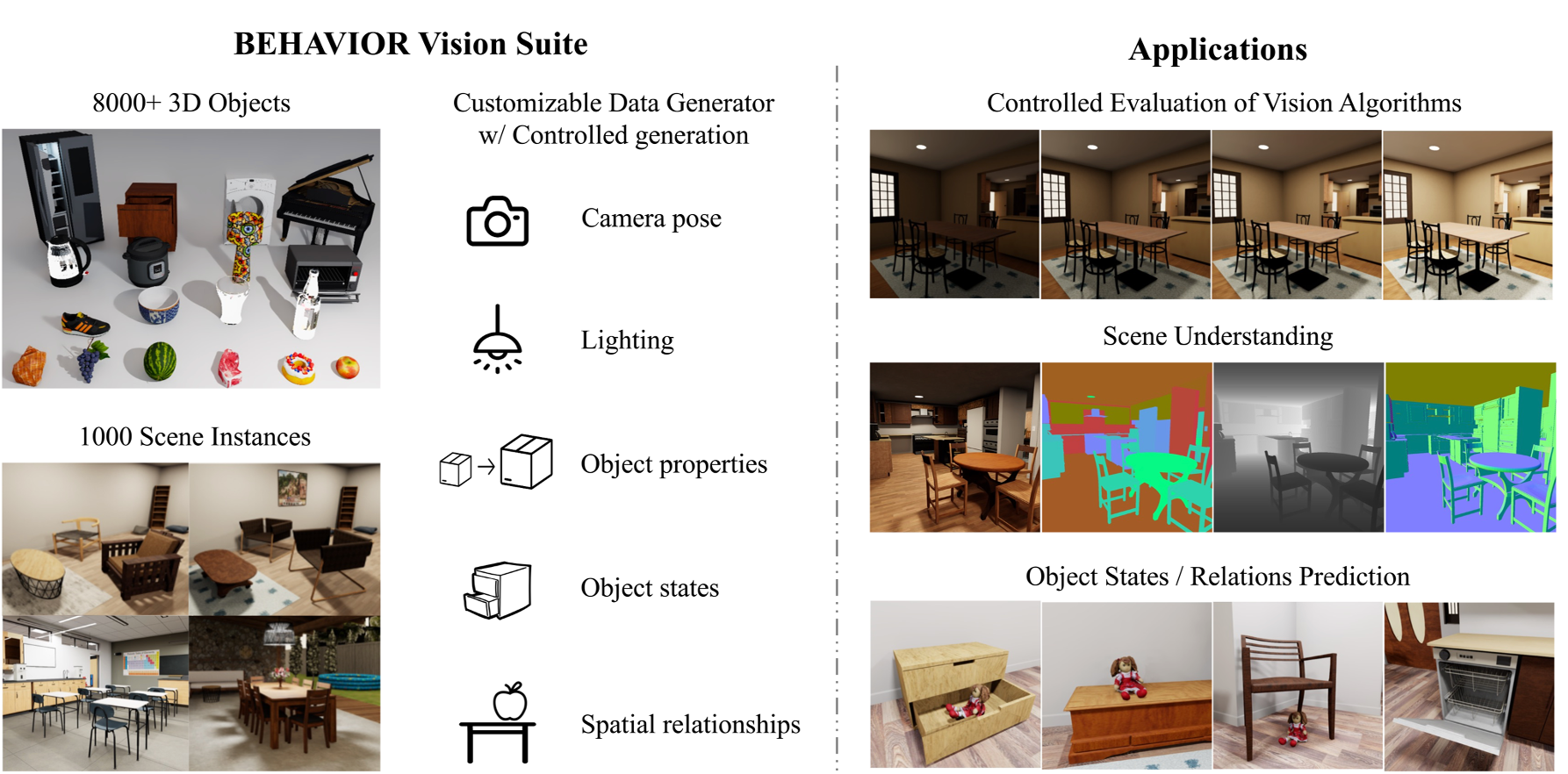
我们提出了 BEHAVIOR Vision Suite (BVS),这是用于计算机视觉研究的工具包。BVS 基于 BEHAVIOR-1K 的扩展对象资产和场景实例,并提供了一个可定制的数据生成器,允许用户以受控方式生成具有照片级真实感和物理合理性的标注数据。我们通过三个代表性应用展示了 BVS。
安装
我们的代码依赖于 Omnigibson。用户可以参考他们的安装指南。
除了 Omnigibson,用户还需要安装:
pip install fire扩展的 B1K 资产
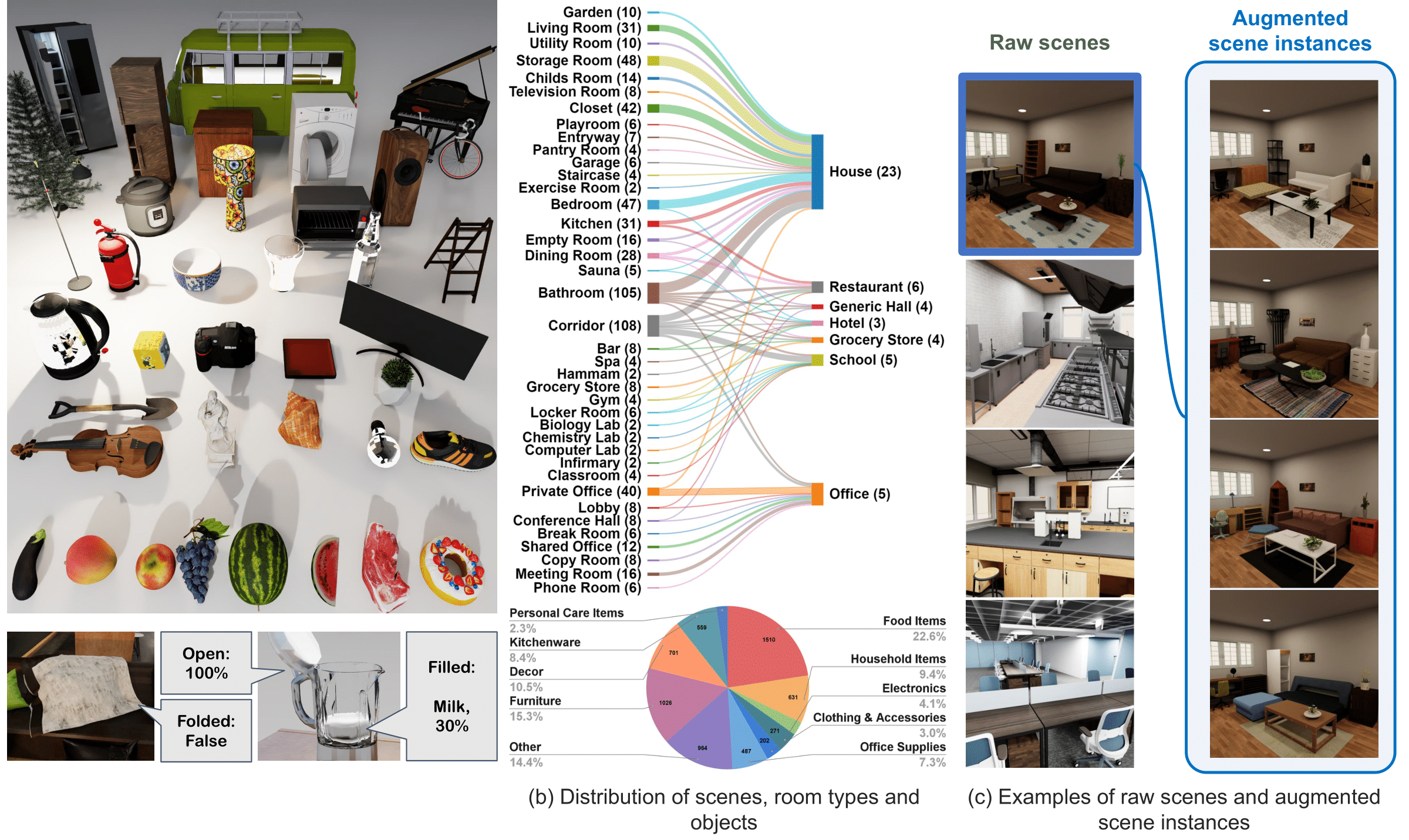
涵盖广泛的物体类别和场景类型,我们的 3D 资产具有高视觉和物理保真度以及丰富的语义属性注释,使我们能够生成 1,000 多个逼真的场景配置。
我们在下方左图中展示了 3D 物体及其支持的语义属性的示例;在下方右图中展示了场景、房间类型和物体的分布。
这些扩展资产将合并到 Behavior 数据集中并很快发布。
场景实例增强
我们通过更改家具物体模型并引入额外的日常物体,实现了多样化场景变体的生成。具体而言,它可以用同一类别中的替代模型替换场景中的物体,这些模型基于视觉和功能相似性进行分组。这种随机化在保持布局语义完整性的同时,显著改变了场景的外观。
如何增强场景
我们提供了脚本,用户可以通过物体插入和模型替换自动生成增强场景:
# this will save augmented in the output_root (default is "output_data/aug_scene.json")
python augment_scene.py
其他参数为:
--scene_id(int) # Id for raw scene to create. Default is 0.
--num_insert(int) # Number of additional objects to be inserted. Default is 5. Set to 0 if don't want to insert new objects.
--replace_ratio(float) # Probability each object got replaced by a new model. Default is 0.2. Set to 0. if don't want to replace object models.
--save_json_name(str) # Json file name to save the scene file for augmented scene. Default is aug_scene.json.
应用
作为 BVS 所能支持内容的展示,我们展示了三个关键应用,详情如下。
整体场景理解
合成数据集(包括 BVS)的主要优势之一在于,它们为同一组输入图像提供了多种类型的标签(分割掩码、深度图和边界框)。我们认为,这一特性能够推动未来能够同时执行多种感知任务的多功能视觉模型的发展。
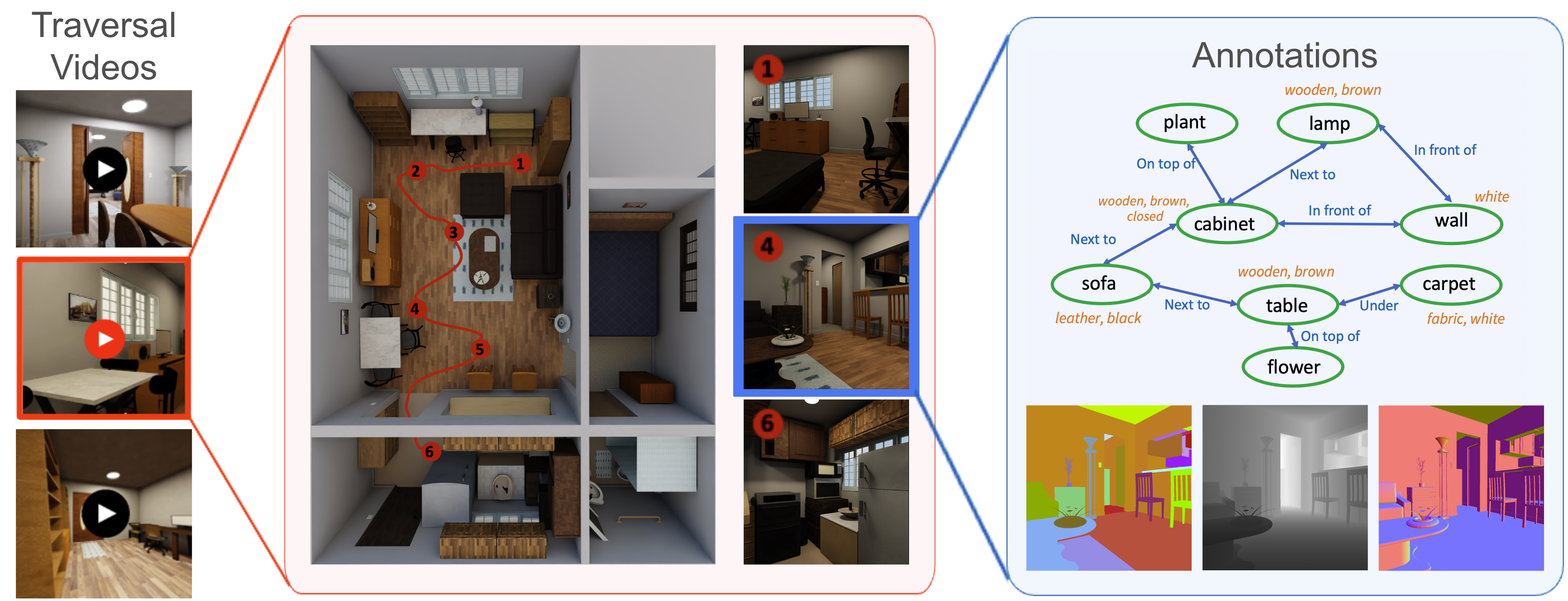 我们生成了覆盖代表性场景的大量遍历视频,每个场景包含 10 条以上的相机轨迹。对于每张图像,BVS 会生成各种标签(例如,场景图、分割掩码、深度)。
如何采样轨迹
Omnigibson 提供了一系列场景。对于给定的 scene_id,我们可以通过以下方式采样轨迹:
# this will save in the output_root (default is "output_data")
python sample_fps.py --scene_id=<scene_id>

# this will save the trajectory poses in the output_root (default is "output_data/fps/poses.npy")
# also save the rendered video in output_root (default is "output_data/fps/video.mp4)
python collect_data.py --scene_id=<scene_id>

# this will sample trajectory in the augmented scene instance you generated before:
python collect_data.py --scene_id=<scene_id> --scene_file=<path to your saved json scene file>
参数化模型评估
参数化模型评估对于开发和理解感知模型至关重要,它使得能够系统性地评估性能对各种领域偏移的鲁棒性。利用模拟器的灵活性,我们的生成器将参数化评估扩展到更多样化的维度,包括场景、相机和物体状态的变化。
下面分别展示了模型在 Articulation、Visibility、Lighting、Zoom 和 Pitch 轴上的预测结果。
物体状态与关系预测
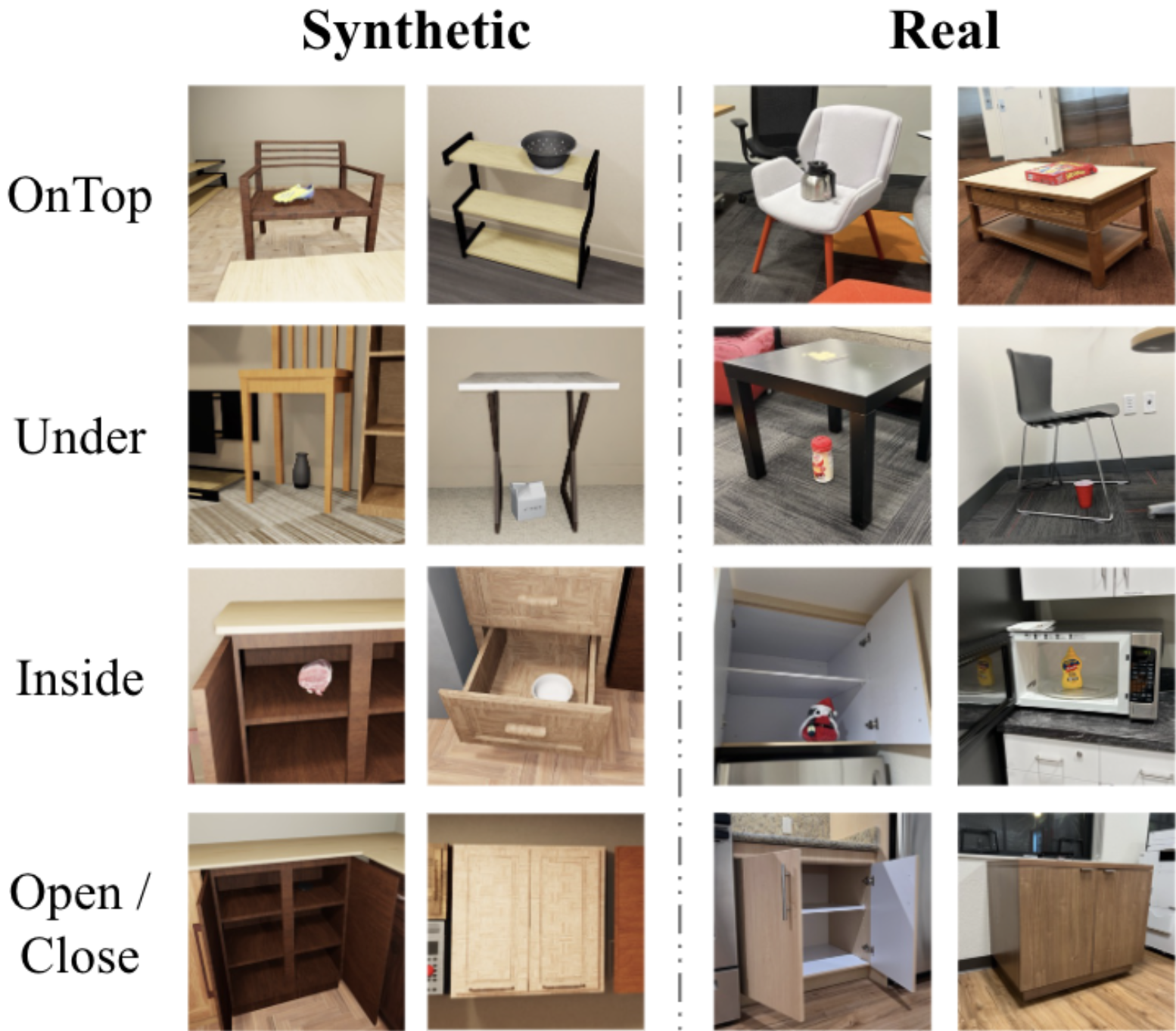
用户还可以利用 BVS 生成具有特定物体配置的训练数据,这些数据在现实世界中难以积累或标注。我们展示了 BVS 在合成数据集方面的实际应用,该数据集有助于训练一种视觉模型,使其在物体关系预测任务上能够零样本迁移到真实世界图像。
引用
如果您觉得我们的项目有帮助,请引用我们的论文:
@inproceedings{ge2024behavior,
  title={BEHAVIOR Vision Suite: Customizable Dataset Generation via Simulation},
  author={Ge, Yunhao and Tang, Yihe and Xu, Jiashu and Gokmen, Cem and Li, Chengshu and Ai, Wensi and Martinez, Benjamin Jose and Aydin, Arman and Anvari, Mona and Chakravarthy, Ayush K and others},
  booktitle={Proceedings of the IEEE/CVF Conference on Computer Vision and Pattern Recognition},
  pages={22401--22412},
  year={2024}
}