
Oryx
Oryx 是一个构建系统,它会自动将源代码仓库编译为 可运行的工件。它用于为 Azure App Service 和 其他平台构建 Web 应用。
要获取有关 Oryx 和 App Service 支持的运行时和版本的更新, 请订阅 Azure Updates 或关注 github.com/Azure/app-service-announcements 跟踪器。
Oryx 会根据对代码库内容的分析,在一个 build 容器中生成并运行一个
有主见的构建脚本。例如,如果在仓库中发现 package.json,Oryx 会在构建脚本中包含 npm run build;或者如果
发现 requirements.txt,则包含 pip install -r requirements.txt。
Oryx 还会为应用生成一个运行时启动脚本,其中包含典型的
启动命令,例如 Node.js 的 npm run start 或 Python 的 WSGI 模块和服务器。
构建好的工件和启动脚本会被加载到一个极简的 run 容器中并运行。
支持的平台和版本
补丁(0.0.x)会在上游发布后尽快应用。
入门
虽然最初是为在 Azure 服务内部使用而构建的,但您也可以自己使用 Oryx 构建系统进行故障排除和测试。以下是简单的 说明;有关完整的背景信息,请参阅我们的 architecture doc。
Oryx 包含两个命令行应用程序;第一个包含在
build 镜像中,通过分析代码库来生成构建脚本。第二个
包含在 run 镜像中,用于生成启动脚本。两者均被别名化
并在各自的镜像中可通过 oryx 访问。
oryx build
当运行 oryx build 时,系统会检测哪些编程平台似乎正在使用,并为每个平台应用相应的工具集。您可以通过 配置 覆盖默认选择。
--output(或 -o)参数指定准备好的工件将放置的位置;如果未指定,则源目录也用作输出。
对于所有选项,请指定 oryx --help。
oryx create-script -appPath
当在运行时镜像中运行 oryx 时,它会生成一个名为
run.sh 的启动脚本,默认位于编译产物所在的同一文件夹中。
支持构建配置文件
App Service YAML 文件(appsvc.yaml)用于指定 Web Apps 的构建和运行命令,从而
覆盖 App Service Build Service 提供的任何默认值。App Service 期望此文件位于项目的根
目录中。
格式
pre-build、post-build 和 run 具有有序的键。这些键引用的命令/脚本
按顺序执行。如果缺少某个键,则跳过该键并处理下一个键。可选的 version 键
指定 appsvc.yaml 文件的版本,以防未来引入新版本。
version: 1

pre-build: apt-get install jq

post-build: |
    python manage.py makemigrations
    python manage.py migrate

run: gunicorn myapp.app --workers 5
构建并运行应用
要从仓库构建并运行应用,请遵循以下大致步骤。示例 脚本如下。
- 将仓库作为卷挂载到 Oryx 的
docker.io/oryxprod/build容器中。 - 在仓库目录中运行
oryx build ...以构建可运行的工件。 - 将构建的输出目录挂载到适当的 Oryx "run"
容器中,例如
docker.io/oryxprod/node-10.14。 - 在 "run" 容器中运行
oryx ...以编写启动脚本。 - 运行生成的启动脚本,默认为
/run.sh。
# Run these from the root of the repo.
# build
docker run --volume $(pwd):/repo \
    'mcr.microsoft.com/oryx/build:latest' \
    oryx build /repo --output /repo

# run

# the -p/--publish and -e/--env flags specify and open a host port
docker run --detach --rm \
    --volume $(pwd):/app \
    --env PORT=8080 \
    --publish 8080:8080 \
    'mcr.microsoft.com/oryx/node:10' \
    sh -c 'oryx create-script -appPath /app && /run.sh'
Build Server Invocation
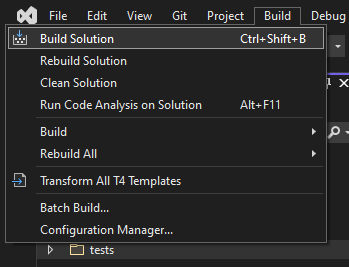
- Build the Oryx solution
- Create image with oryx and platform binaries
time build/buildBuildImages.sh -t ltsversion
- Run docker to port map, volume mount a directory, specify the image with
oryx build, and invoke BuildServer-
 docker run -it -p 8086:80 \
 -v C:\Repo\Oryx\tests\SampleApps\:/tmp/SampleApps \
 -e "ASPNETCORE_URLS=http://+80" \
 oryxdevmcr.azurecr.io/public/oryx/build:lts-versions \
 /opt/buildscriptgen/BuildServer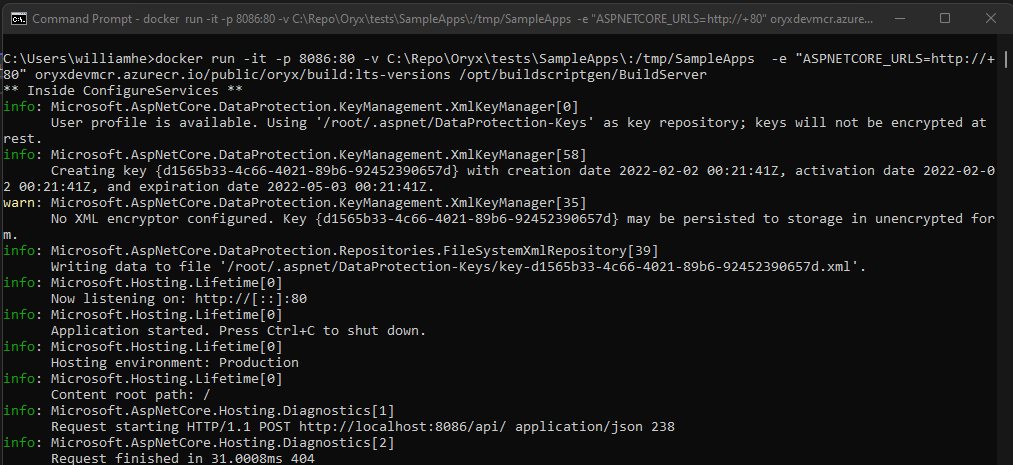
-
- Invoke build
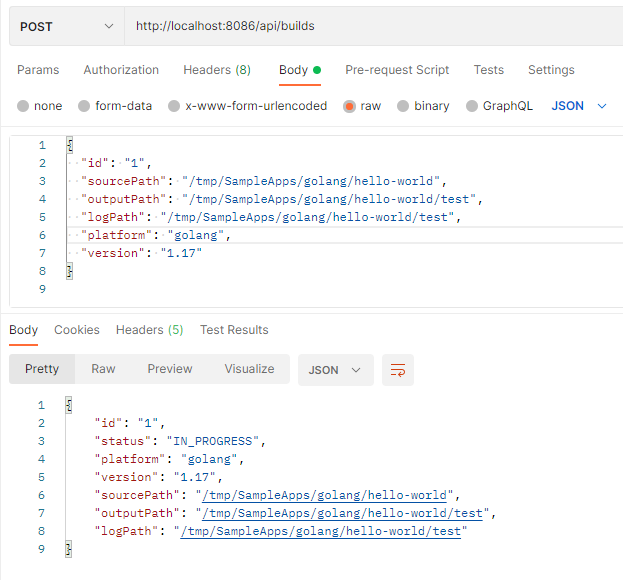
- Under the hood
oryx buildis invokedoryx build [sourcePath] \ --platform [platform] \ --platform-version [version] \ --output [outputPath] \ --log-file [logPath]
- Under the hood
- Check build status with id
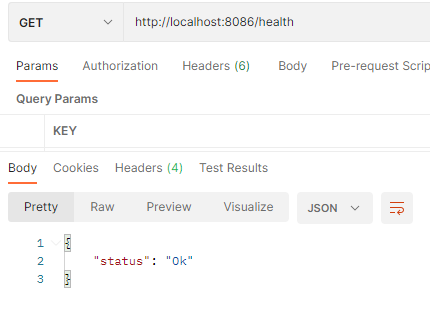
1 - Check server healthcheck
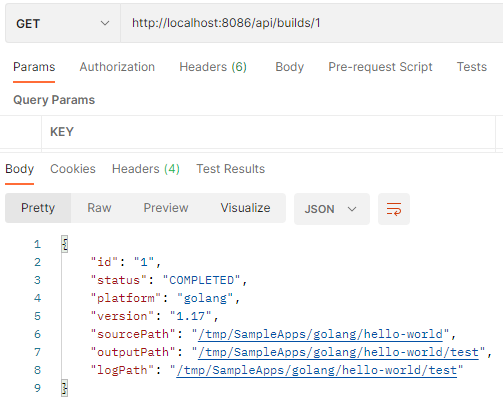
组件
Oryx 由一个构建镜像、一组运行时镜像、一个构建脚本生成器以及一组启动脚本生成器组成。有关更多详细信息,请参阅我们的 architecture 页面。
本地测试
启动脚本生成器
build/testStartupScriptGenerators.sh 将对所有用 go 编写的启动脚本生成器执行测试。
测试会被复制到 docker 镜像中,以便在所有平台上执行 go test。
贡献
参见 CONTRIBUTING.md.
许可证
MIT,参见 LICENSE.md。
安全
安全问题和漏洞应通过电子邮件私下报告给 Microsoft Security Response Center (MSRC) 的 secure@microsoft.com。您应在 24 小时内收到 回复。如果由于某种原因未收到,请通过 电子邮件跟进,以确保我们收到了您的原始消息。更多信息, 包括 MSRC PGP 密钥,可在 Security TechCenter 中找到。
商标
本项目可能包含项目、产品或服务的商标或徽标。 对 Microsoft 商标或徽标的授权使用须遵守并遵循 Microsoft 商标和品牌指南。 在本项目的修改版本中使用 Microsoft 商标或徽标不得 引起混淆或暗示 Microsoft 的赞助。任何第三方商标 或徽标的使用均受该第三方政策约束。
Data/Telemetry
当在 Azure 服务中使用时,本项目会收集使用数据并 将其发送给 Microsoft,以帮助改进我们的产品和服务。阅读 [Microsoft 隐私声明][] 以了解更多信息。
本项目遵循 Microsoft 开源行为准则。有关 更多信息,请参阅 行为准则常见问题解答。如有 问题或意见,请联系 opencode@microsoft.com。
Disable Data Collection
为防止 Oryx 命令行工具收集任何数据,请将环境变量
ORYX_DISABLE_TELEMETRY 设置为 true。