
decentraland/bevy-explorer · 文件 下载 ZIP
文件最后提交记录最后更新时间

README.md
以下内容由 AI 翻译,如有问题请点此提交 issue 反馈
bevy-explorer
一个面向未来的 Decentraland 协议实现。
请访问我们的 Releases 页面获取最新的客户端下载。
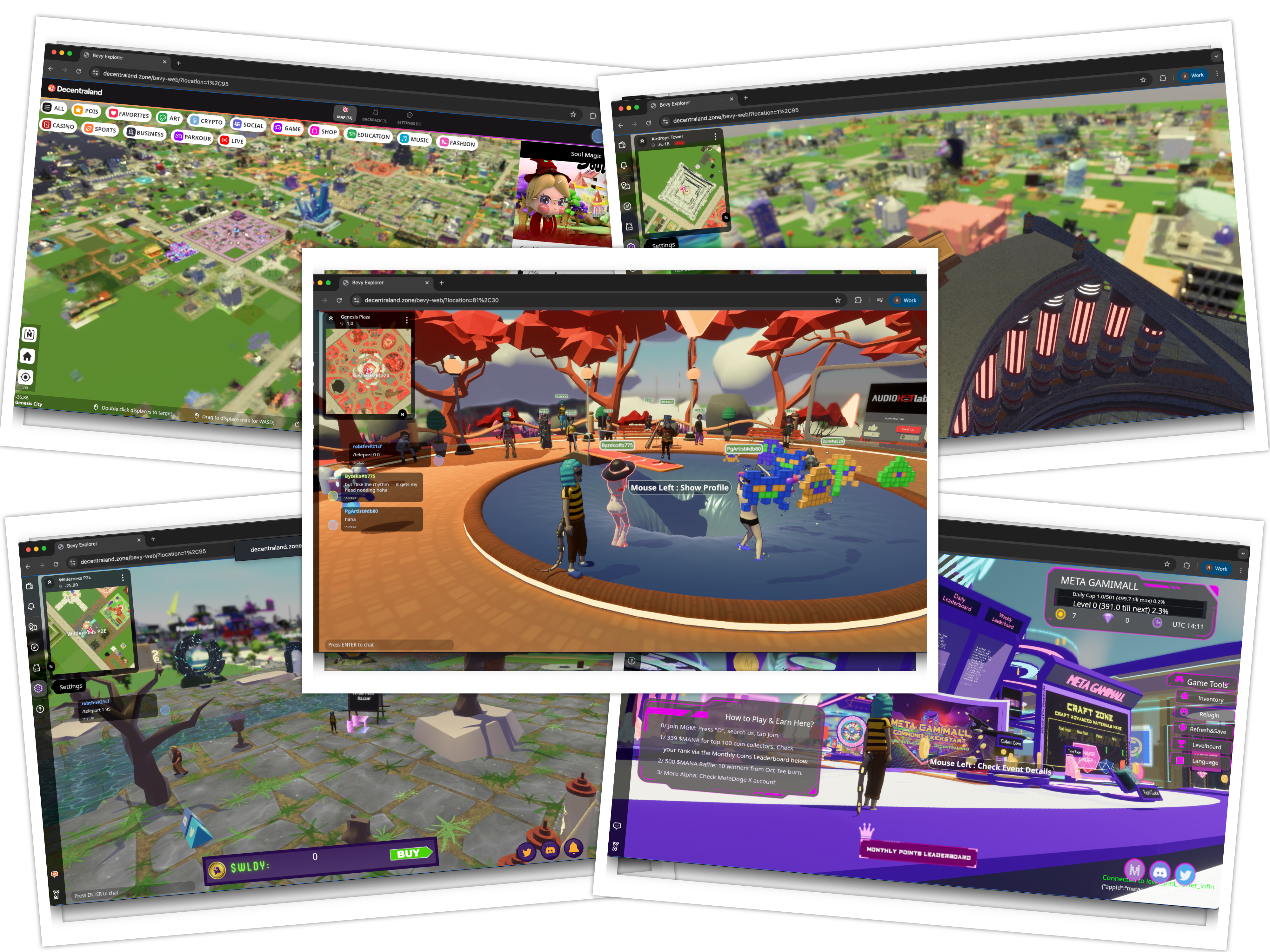
此实现使用 rust 和 Bevy 引擎,并针对桌面客户端。
本项目的目标是:
- 记录当前和未来的协议标准
- 实验对协议的更改
- 扩大替代 Explorers 的范围
- 优先考虑坚实的基础、可扩展性以及现代开源框架的使用
从源代码构建
- Clone the repo using
git clone https://github.com/decentraland/bevy-explorer - Install rust
- Download and install third party libraries
- on linux:
- note: livekit networking (main-realm transport) in the linux build is temporarily disabled due to conflicting imports in webrtc and deno. we hope this will be resolved soon
- Install alsa and udev:
sudo apt-get update; sudo apt-get install --no-install-recommends libasound2-dev libudev-dev - Install ffmpeg deps:
sudo apt install -y --no-install-recommends clang curl pkg-config libavcodec-dev libavformat-dev libavutil-dev libavfilter-dev libavdevice-dev - Install Livekit deps:
sudo apt update -y; sudo apt install -y libssl-dev libx11-dev libgl1-mesa-dev libxext-dev
- on macos:
brew install ffmpeg@6 pkg-configexport PKG_CONFIG_PATH=/opt/homebrew/opt/ffmpeg@6/lib/pkgconfig
- on windows:
- install
clang, (most easily done via https://github.com/llvm/llvm-project/releases/) - download and unzip
https://github.com/GyanD/codexffmpeg/releases/download/6.0/ffmpeg-6.0-full_build-shared.7z - set
LIBCLANG_PATH=path to LLVM\x64\bin(this is packaged with visual studio, or can be downloaded separately) - set
FFMPEG_DIR=root folder where ffmpeg has been unzipped - add
ffmpeg\binto yourPATH
- install
- on linux:
- Install protoc (Mac Homebrew users can do
brew install protobuf) - Install the CEF runtime (the react HUD renders in a CEF offscreen webview;
react-hud-cefis a default feature)- install ninja: linux
sudo apt-get install ninja-build, macosbrew install ninja, windows ships it with visual studio - export the CEF distribution (once per machine):
cargo install export-cef-dir --version "139.8.0+139.0.40" && export-cef-dir --force $HOME/.local/share/cef - set
CEF_PATHto the export dir for builds:export CEF_PATH=$HOME/.local/share/cef(on windows use a windows-style path) - on linux, also put it on the loader path to run from the target dir:
export LD_LIBRARY_PATH=$CEF_PATH:$LD_LIBRARY_PATH
- install ninja: linux
- build the react HUD — login and all 2d UI; without this bundle the app runs with no UI at all:
cd react-web && npm ci && (cd bridge-scene && npm ci) && npm run bundle:native(needs node 20) - build scene engine:
cargo build --release --package dcl_deno_ipc - build and run renderer (also builds the
decentra-bevy-cefhelper):cargo build --release && cargo run --release
仅安装 just 后,just setup-cef 涵盖第 5 步的 CEF 导出,而 just native-release 则打包 HUD 并构建 + 运行所有内容(详见 just --list)。
若要完全不使用 CEF 进行构建(使用引擎原生 UI 而非 react HUD):cargo run --release --no-default-features --features "livekit,ffmpeg,inspect,social"。
我们努力保持这些说明的更新,但 github ci 是最准确的构建信息来源。
Arguments
cargo run --release --bin decentra-bevy -- [options]
--server https://sdk-test-scenes.decentraland.zone
- 指定内容服务器,默认为 sdk 测试服务器。
--location 52,-52
- 指定生成时的包裹。
--vsync (true|false)
- 禁用/启用垂直同步。默认为关闭。
--fps (number)
- 设置目标帧率。默认为 60。如果垂直同步为 true,此值将被垂直同步刷新率覆盖。也可通过控制台
/fps命令访问。
--msaa [1,2,4,8]
- 设置多重采样数。较高的值会产生更好的图形效果,但需要更多的 GPU 性能。默认为 4。
--threads n
- 设置场景 JavaScript 执行的最大并发线程数。较高的值允许远处场景获得更好的性能,但需要更多的 CPU 性能。默认为 4。
- 也可通过控制台命令
/scene_threads访问
--distance n
- 设置场景加载的距离(以米为单位)。默认为 100.0。
- 也可通过控制台命令
/scene_distance访问
--no_gltf
- 禁用 gltf 加载。
--no_avatar
- 禁用化身渲染。
--no_fog
- 禁用距离雾效
--inspect <scene_hash>
- 当具有输入哈希值的场景首次加载时,js 运行时将暂停并等待调试器会话(例如
chrome://inspect)连接,并允许你调试场景代码。需要带有 --features "inspect" 的构建版本
--params "key1=value1&key2=value2"
- 向系统场景传递任意键值参数,可通过
BevyApi.getParams()访问。 - 格式为 URL 查询字符串样式:由
&分隔的key=value对。 - 值按原样传递(桌面端不进行 URL 解码)。
- 在 Web 上,所有 URL 查询参数都会自动作为参数转发,并应用 URL 解码。
- 示例:
--params "disableFeatures=minimap,chat&debug=true"
测试
cargo test --all 执行所有测试。
由 Decentraland DAO 提供支持