
N1ck/gifs-for-github · 文件 下载 ZIP
文件最后提交记录最后更新时间
README.md
以下内容由 AI 翻译,如有问题请点此提交 issue 反馈
 GitHub 的 GIFs
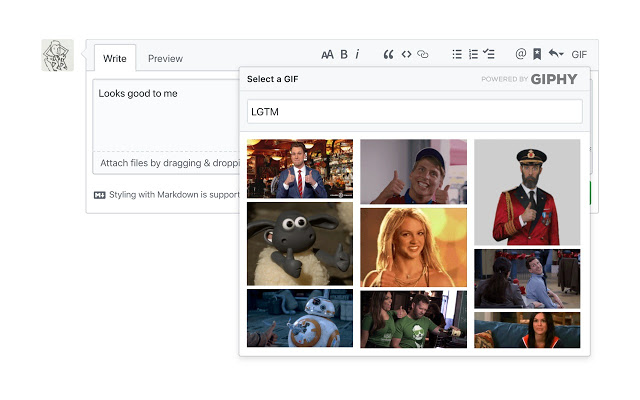
一款浏览器扩展,可轻松搜索并在任何 GitHub 评论框中添加 GIF。
安装




选项
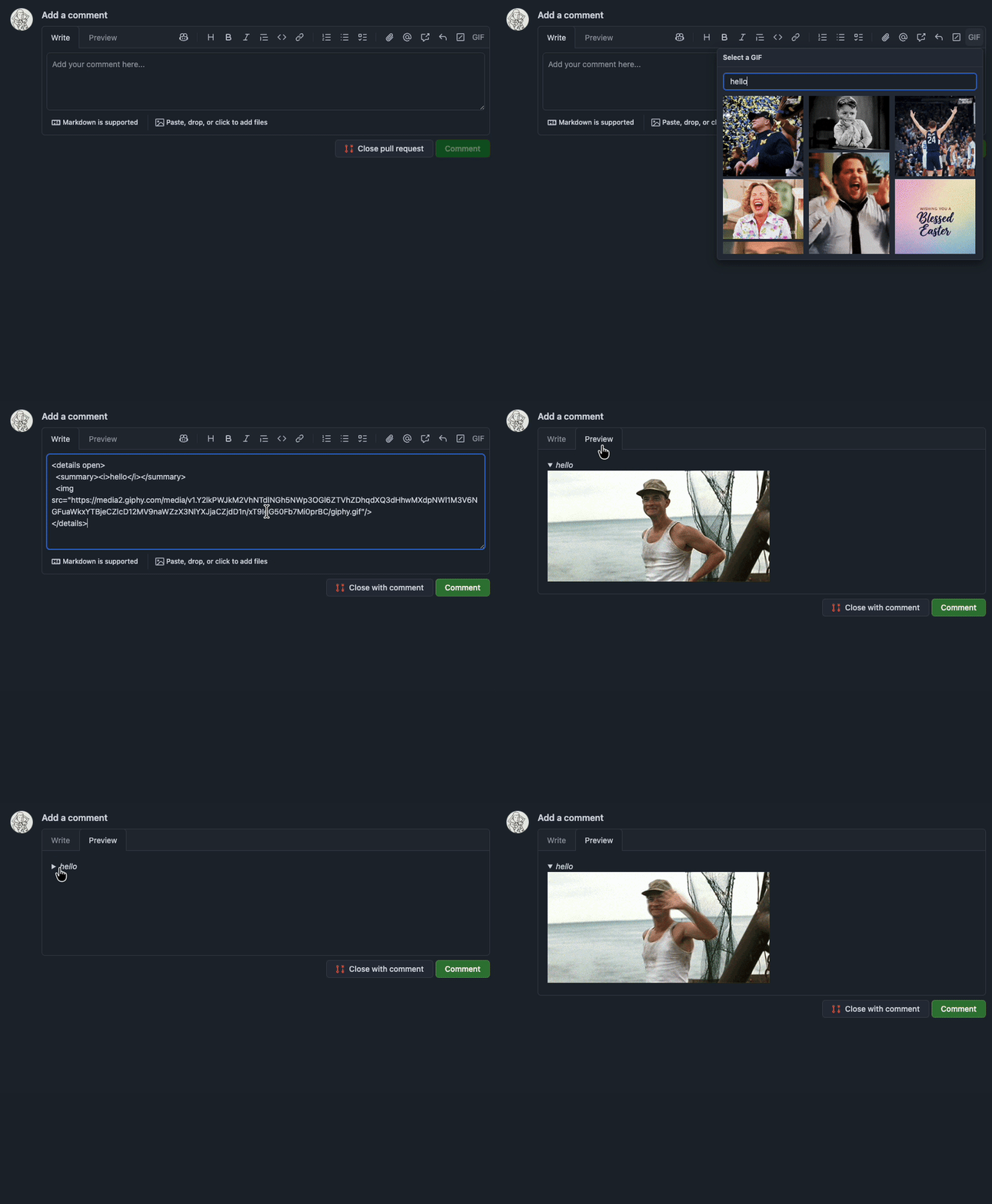
可折叠 GIF
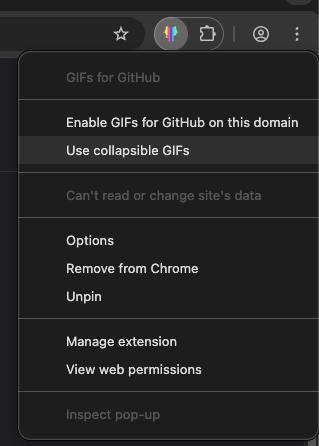
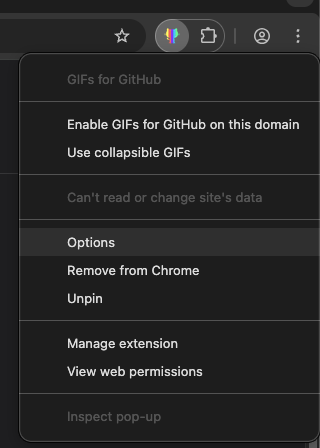
右键单击扩展图标,选择 使用可折叠 GIF,以将 GIF 包裹在 <details> 块中,而不是内联嵌入。
GitHub Enterprise
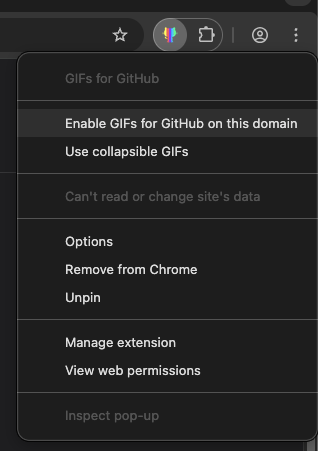
在您的 GitHub Enterprise 域上右键单击扩展图标,并选择 Enable GIFs for GitHub on this domain 以在该域上启用此扩展。
GIPHY API Key
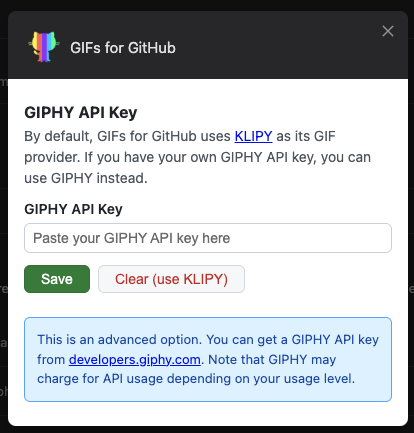
默认情况下,该扩展使用 KLIPY 作为其 GIF 提供商。如果您拥有自己的 GIPHY API 密钥并希望改用 GIPHY,请打开扩展的选项页面并将您的密钥粘贴到其中。
- Chrome:
chrome://extensions→ GIFs for GitHub → Details → Extension options - Firefox:
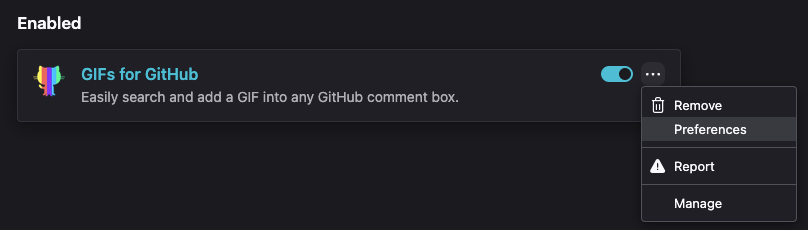
about:addons→ GIFs for GitHub → Preferences
贡献
git clone https://github.com/N1ck/gifs-for-github
cd gifs-for-github
pnpm install
pnpm run build   # Output goes to distribution/
pnpm run watch # Rebuild on file changes项目结构
| 路径 | 用途 |
|---|---|
src/ | 扩展源代码(由 webpack 加载) |
distribution/ | 构建输出(已加入 gitignore;在浏览器中加载此目录) |
assets/ | 本 README 的截图和 GIF |
designs/ | Logo 源文件(Sketch) |
调试模式
在开发过程中,您可以通过设置 DEBUG 环境变量来启用调试模式:
DEBUG=true pnpm run build使用扩展时,这将输出带有 🎨 前缀的有用日志。
构建完成后,使用 web-ext 在任意浏览器中加载:
npx web-ext run --target=chromium # Open extension in Chromenpx web-ext run # Open extension in Firefox或者你可以在 Chrome 中手动加载或Firefox。
如果你想阅读我构建此扩展的原因以及我面临的一些挑战,请查看我的博客文章。